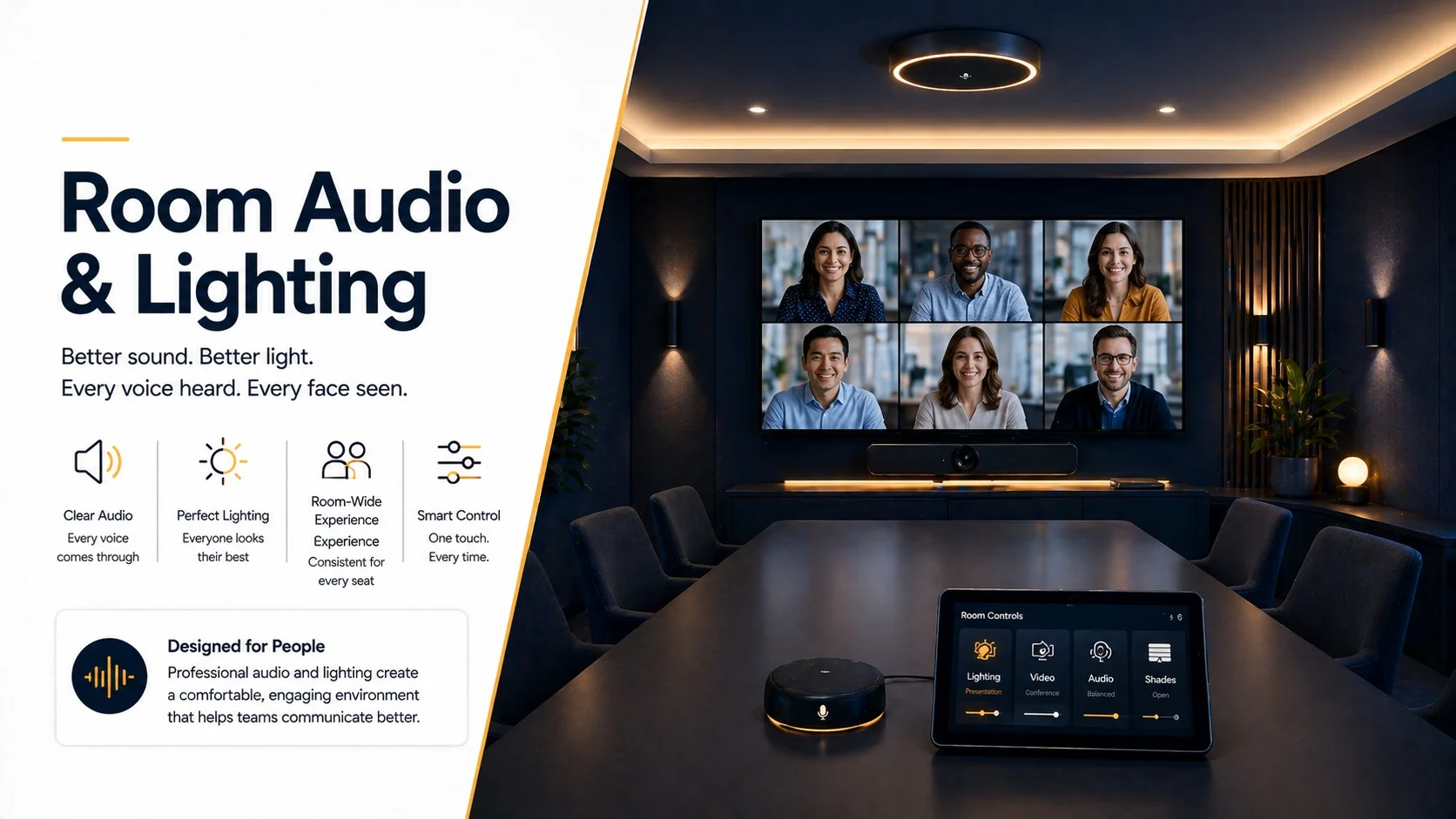
You can have a $1,500 camera on the wall and a premium Zoom subscription and still sound like you’re calling from a parking garage if the room wasn’t designed with audio in mind. You can have the sharpest display in the building and still look like a shadowy blob to the people on the other end if the lighting is working against you.
Audio and lighting are the two most underinvested parts of conference room design. They’re also the two things remote participants notice first. Not the furniture. Not the wallpaper. Whether they can hear you clearly and whether your face is lit like a human being. That’s it. That’s what determines whether a meeting feels professional or embarrassing.
This article is about fixing both. Properly.
Why Audio and Lighting Get Neglected
The honest answer is visibility. When a company builds out a conference room, the things people can see get attention. The display. The table. The chairs. The camera mounted on the wall. These are tangible and impressive and easy to evaluate with your eyes.
Audio and lighting are invisible until they fail. And then they fail loudly and obviously in front of the exact people you’re trying to impress.
Microphone coverage that doesn’t reach the far end of the table. Echo that makes every statement sound like it’s being said in a tunnel. Overhead fluorescents that cast shadows across everyone’s face. A window behind the seats that turns participants into silhouettes. These problems don’t show up on a spec sheet. They show up on the call.
The other issue is that audio and lighting both depend heavily on the physical room, which varies enormously. A glass-walled huddle space has completely different treatment requirements than a carpeted executive boardroom. The room’s geometry, surfaces, ceiling height, and ambient light sources all determine what good audio and lighting design actually looks like in that specific space.
That’s why professional lighting and sound calibration for meeting rooms isn’t a luxury. It’s how you avoid paying for hardware that doesn’t perform because the room is working against it.
Understanding What the Microphone Actually Hears
Before you can fix the audio in a meeting room, you need to understand what’s going wrong. Most bad conference room audio falls into a few predictable categories.
The Echo Problem
Echo happens when sound from the speakers in the room reaches the microphone. The microphone picks up both the person talking and a delayed reflection of the audio coming from the speakers, and the result is that smearing, hollow, tunnel-like quality that makes calls hard to follow.
Every room has some echo. The question is how much and how the system handles it. Good conferencing hardware includes echo cancellation, DSP that identifies and subtracts the speaker output from the microphone signal. But echo cancellation has limits. In a room with a lot of hard reflective surfaces, the signal is so reverberant that the DSP can’t clean it up fully.
The fix is both hardware and treatment. Better echo cancellation in the codec or processor. And enough soft surface in the room to reduce the reverb before it reaches the microphone.
We documented exactly how far treatment and tuning move the result in a real space in our sound calibration case study on reducing echo in glass-walled rooms.
The Coverage Problem
This one’s straightforward and very common. The microphone doesn’t reach everyone in the room.
A single boundary microphone in the center of a 14-seat boardroom picks up people sitting close to the center reasonably well. The people at the far ends of the table sound like they’re in another building. The solution is either multiple microphones positioned to cover the full table, a ceiling array that captures from above across the whole room, or a beamforming microphone with enough range for the room’s dimensions.
Optimizing audio specifically for hybrid presentations addresses this in detail for Zoom environments, but the underlying principles apply to any conferencing platform.
For tables seating six to twelve people, where a single centre microphone almost never works, our microphone placement guide for 6 to 12 person boardrooms maps out where the mics actually need to go.
The Background Noise Problem
HVAC systems. Street noise. Noise bleeding in from the open office. All of these get picked up by sensitive microphones and transmitted to everyone on the call. A room that seems quiet to the people sitting in it often has a significant ambient noise floor that the microphone captures faithfully.
Good noise suppression in the conferencing hardware helps. A room with better sound isolation helps more. And positioning microphones away from the HVAC diffuser is one of the most overlooked and easiest things to fix in an existing room.
Room Treatment: The Part Most Companies Skip
Room treatment is not soundproofing. This is a common confusion. Soundproofing prevents sound from traveling between rooms. Treatment controls how sound behaves within a room.
For video conferencing, you want treatment that absorbs reflections and reduces reverberation time. The goal is a room where speech sounds clear and direct rather than bouncy and diffuse.
Hard parallel surfaces are the enemy. A room with a tile floor, plaster ceiling, glass wall, and painted drywall on three sides has reflections bouncing between every surface. Sound arrives at the microphone as a wash of direct signal plus multiple reflections at different delays, and the result is that characteristic boxy, muddy quality.
Practical treatment options that work in commercial environments without looking like a recording studio:
Fabric-wrapped absorption panels on the walls opposite the display and on the side walls behind participants. These come in a range of colors and finishes and can be mounted flush to look like intentional design rather than an acoustic fix. Carpet or a rug under the table. A fabric ceiling cloud above the table, which looks clean and intentional and absorbs the worst of the overhead reflections. Upholstered seating rather than hard plastic or mesh chairs.
You don’t need to treat every surface. You need to break up the most problematic reflection paths. In most conference rooms, that’s the ceiling above the table, the wall behind where the camera is mounted, and the wall opposite the camera.
If the budget only stretches to one of the two, our comparison of acoustic treatment versus microphone selection sets out which one delivers more improvement per dollar in different room types.
Microphone Types and How to Choose
The right microphone type depends on the room. There’s no universal answer.
Boundary Microphones
Low-profile mics that sit flat on the conference table. They pick up a hemisphere of sound above the surface. Good for small tables where everyone sits within a few feet of the mic. Limitation: they pick up table noise, paper shuffling, and laptop keyboard sounds. And if someone places a coffee cup or a laptop on top of one, that zone loses coverage.
Ceiling Microphone Arrays
Mounted in the ceiling above the table, these pick up from below and capture the whole room evenly. No table surface to get cluttered. Less susceptible to table noise. More expensive, and installation requires planning the ceiling layout properly. For permanent conference rooms that need to look professional and function reliably, ceiling arrays are increasingly the standard.
Products like the Shure MXA910 and Sennheiser TeamConnect Ceiling 2 use beamforming to focus on whoever’s speaking and suppress everything else. The result is a cleaner, more natural sound than a fixed microphone can deliver.
Table Mic Pods
A middle ground. Units like the Shure MXA310 sit on the table and use multiple capsules with beamforming to focus on speech across a wider area than a single boundary mic. Useful for extending coverage on longer tables without going to a full ceiling array.
Integrated Audio Bars
All-in-one units that combine camera, microphone, and speaker in one device. Best suited for huddle rooms and small meeting spaces where the room dimensions don’t demand dedicated separate components. For anything larger than a six-person table, the integrated mic usually doesn’t have enough coverage or sophistication.
Huddle room design and setup has specific considerations that differ from larger spaces, and the microphone spec is one of the biggest differences.
Speakers: Getting the Voice Placement Right
Remote participants’ voices should come from in front of the room, from roughly the direction of the display, at a level that sounds natural for conversation. That’s the goal.
The problem with many conference room speaker setups is that the audio comes from a small soundbar on the table, or from speakers mounted at the wrong height, or at a volume level that’s either too quiet to hear clearly or loud enough to create feedback with the microphones.
In-ceiling speakers wired to a commercial amplifier are the gold standard for conference rooms. They distribute audio evenly, they don’t clutter the table or the display area, and they can be positioned to focus sound toward the table rather than the walls. For boardrooms and larger spaces, front-of-room speakers mounted at ear height on either side of the display deliver better localization, the sense that voices are coming from where the video is displayed.
Volume levels matter. Most rooms run too loud, which creates feedback risk and fatigue over long calls. A professional audio calibration sets the speaker volume to a level that’s audible and natural without pushing the room into echo territory.
Boardroom AV design for executive spaces involves careful speaker selection and placement as a core part of the specification, not an afterthought.
Lighting: What the Camera Actually Sees
Let’s talk about what your camera is working with when you walk into a typical conference room.
Overhead fluorescent or LED panels washing down from above. Possibly a window on one wall letting in daylight. A display screen at one end emitting light back into the room. And a camera somewhere on the wall trying to produce a clean, professional image of everyone seated at the table.
Here’s what that produces on a call: faces lit from directly above, which creates heavy shadows under the eyes, nose, and chin. Participants sitting near the window appear as silhouettes because the camera’s exposure compensates for the bright background. The display creates a faint wash of reflected light on the people nearest it. Nobody looks like themselves.
This is so common that most people have accepted it as just how video calls look. It doesn’t have to be.
Our full guide to lighting for video meetings and getting studio-quality results in a conference room covers fixture selection, placement and colour temperature in more depth.
The Front Fill Problem
The single most impactful lighting change in most conference rooms is adding light from the front. Soft, diffused light coming from the direction of the display, aimed toward the faces of the people seated at the table.
This front fill light eliminates the overhead shadow issue. It separates faces from the background visually. It makes skin tones accurate and expressions readable. Remote participants can see who’s talking and read the room in a way that’s genuinely impossible without it.
Front fill in a conference room doesn’t have to be obvious or harsh. Softbox fixtures or LED panels with diffusion behind a ceiling cove on the display end of the room provide the effect without looking like a TV studio.
Managing Windows
Windows are simultaneously an asset and a problem in conference room lighting.
Natural light is generally flattering and makes people look alive on camera. But uncontrolled natural light, especially direct sun coming in behind participants, is a disaster for camera exposure. The camera sees the window as the brightest thing in the frame and exposes for it, leaving everything else underexposed.
The fix is shading control. Automated motorized shades integrated with the room’s AV system let you manage window light without physically closing blinds every time a call starts. Sheer sheer fabrics let diffused daylight through while blocking direct sun. Blackout options for rooms where daylight needs to be eliminated entirely.
The relationship between shading and camera quality is direct and measurable. The same camera in the same room produces dramatically different results with and without window management.
Color Temperature and Consistency
Mixed light sources at different color temperatures produce color casts that make people look off on camera. Warm tungsten wall sconces mixing with cool fluorescent ceiling panels mixing with daylight through a window creates a scene that no camera processes well.
For video conferencing specifically, 3000K to 3500K is the target range for room lighting. Warm enough to look natural and flattering. Cool enough to read as professional and awake. And critically, consistent across all light sources in the room so the camera has a single color temperature to white-balance against.
LED fixtures with adjustable color temperature, often called tunable white LEDs, let you set and maintain the right color temperature across the whole room. This is worth specifying when building or renovating a conference room, since retrofitting fixtures is more expensive than specifying right the first time.
Different Rooms, Different Requirements
Room type changes everything about how you approach audio and lighting. A one-size-fits-all spec doesn’t work.
Huddle Rooms
Small, often glass-walled, high usage, usually minimal IT support available. The spec needs to be simple, self-contained, and reliable without manual intervention. An all-in-one video bar handles camera, mic, and speakers. Front lighting from a small LED panel or the room’s existing light supplemented with a simple overhead fixture on the display wall. Motorized shades if there’s significant window exposure.
Small meeting space design covers what good looks like in that specific format, which is different enough from a standard conference room to warrant dedicated treatment.
Standard Conference Rooms
Separate camera, dedicated microphone system (ceiling array or table pods), commercial speakers, proper amplification, and a control system that manages all of it. Lighting should include tunable overhead panels with front fill from the display end. Window management if applicable.
Custom conference room design takes room dimensions, seating capacity, use cases, and platform requirements into account before specifying anything. That design phase is what prevents the common mistake of spec-ing hardware before understanding the room.
Boardrooms
Higher stakes, more complex. Larger tables mean more microphone coverage challenges. Executives who want to walk around and present rather than sit at the table need wireless microphone options. Camera quality needs to be at a higher tier because the people in these rooms are often the face of the company on calls with clients, board members, and media.
A proper executive boardroom AV checklist covers the hardware requirements, but the audio and lighting spec in a boardroom also involves more sophisticated DSP, independent zone control, and often integration with the room’s building systems for lighting and HVAC.
Town Halls and Large Venues
Town hall spaces and large event rooms have the most demanding audio requirements because you need speech intelligibility across a very large area. Distributed speaker systems, multiple microphone zones, and often a mix of handheld and fixed microphones for different parts of the presentation.
Large-format AV for town halls involves engineering decisions about speaker coverage, delay zones for rear speakers, and feedback management that are genuinely complex and where professional design earns its cost many times over.
Divisible Rooms
Spaces that split into two or three smaller rooms for breakouts and then combine for all-hands events. The audio and lighting system needs to function correctly in both configurations, which means independent zone control, microphone systems that cover each sub-room cleanly, and a control system that can reconfigure automatically when the dividing wall moves.
Divisible room AV strategies addresses how to design a system that handles the configuration change without requiring an AV technician every time someone moves a partition.
Platform-Specific Considerations
Different video conferencing platforms handle audio and video processing differently, and those differences affect how you spec the room hardware.
Zoom, Teams, Google Meet, and Webex all have their own noise suppression algorithms, their own hardware certification programs, and their own preferences for how audio is routed through the room system. Certified hardware for a given platform has been tested to work optimally with that platform’s processing stack.
For Zoom environments, certified Zoom Room hardware ensures compatibility between the room’s camera, microphone, speaker, and controller. Using uncertified gear doesn’t always cause problems, but it adds a variable that’s hard to troubleshoot when something sounds off.
For Microsoft Teams environments, certified Teams Rooms hardware is similarly important for ensuring the platform’s spatial audio features, noise suppression, and background blur function as designed.
Platform comparison across Zoom, Teams, Meet, and Webex helps clarify which platform’s ecosystem makes the most sense before you lock in hardware choices, since the ecosystems aren’t fully interchangeable.
The Network Foundation for Good Audio and Video
Good audio and lighting mean nothing if the network can’t deliver a stable video stream.
Conference room video calls require consistent upload and download bandwidth, low latency, and minimal packet loss. On a congested network where the conference room’s traffic competes with everything else in the building, you’ll see frozen video, choppy audio, and dropped calls regardless of how good the room’s hardware is.
Network bandwidth planning for reliable meetings covers how to calculate the bandwidth requirements for your room count and call density and spec the network infrastructure to handle it.
PoE switches and QoS configuration are two of the most impactful network-level improvements for conference room reliability. Quality of Service rules prioritize video conferencing traffic over background data transfers. Power over Ethernet simplifies camera and display controller infrastructure by eliminating separate power runs.
Wired connections for the room’s AV components are always preferred over wireless where the infrastructure exists. AV wiring best practices for New York offices covers what proper structured cabling looks like in a commercial buildout, including the specifics of running HDMI, USB, CAT6, and control cabling in compliance with commercial electrical requirements.
Cable Management: The Detail That Defines a Professional Install
Here’s a room that’s easy to imagine because it exists in almost every office building: expensive equipment, great hardware choices, but the cables are a mess. HDMI running across the floor. USB extension cables zip-tied to the table leg. A power strip visible behind the display. The whole effect undercuts everything else the room does well.
Cable management isn’t cosmetic. Poorly routed cables cause interference, create tripping hazards, make troubleshooting difficult, and degrade signal quality on long runs. A properly managed cable infrastructure is part of what makes a conference room feel and perform like a professional installation.
Conference room rack design addresses how the back-end equipment, amplifiers, signal processors, network switches, and patch panels, gets organized and managed in the AV rack.
Future-proofing cabling for AV expansions is worth thinking about at the initial install phase since running additional conduit during construction costs a fraction of what it costs to retrofit later.
Getting to a Proper Setup: What the Process Looks Like
If you’re starting fresh with a new room or renovating an existing one, here’s what a professional installation process actually involves.
The process starts before hardware is purchased. A site assessment of the room’s dimensions, surfaces, ambient noise floor, lighting conditions, and existing infrastructure. A needs assessment of who uses the room, what platforms they use, how many people are in the room on average, and what the worst-case scenario looks like. Platform selection or confirmation.
From there, system design. Specific products selected and specified. Signal flow documented. Cable routes planned. Rack designed. Lighting layout drawn. All before installation begins.
Installation covers structured cabling, equipment mounting, rack build, DSP programming, control system configuration, and lighting commissioning. Each phase needs to be sequenced correctly since you can’t commission audio until the room treatment is in place and you can’t calibrate lighting until the fixtures are all installed and aimed.
Video conferencing equipment setup as a professional service covers the full installation scope rather than just hardware delivery and basic connection.
Zoom conference room installation as a specific service covers the platform-specific configuration that comes after the hardware is in place, which is often where DIY setups fall short.
Zoom Room full setup from hardware through software configuration is a multi-step process that’s well-documented for those who want to understand the scope before engaging a professional.
Microsoft Teams Rooms setup follows a different configuration path with its own certification and deployment requirements.
Webex conference room deployment has its own ecosystem of certified hardware and specific configuration requirements that affect how the room’s audio and camera systems are integrated.
After installation, commissioning involves testing every scenario the room will be used for, adjusting DSP parameters, verifying microphone coverage at every seat, calibrating camera exposure and framing, and confirming that lighting levels are correct for both the in-room experience and the camera output.
Lighting and sound calibration done properly at commissioning is what separates a system that was installed from a system that works.
Common Problems and How to Fix Them
If you have an existing room that’s not performing well, the problems are usually diagnosable and fixable without replacing everything.
Before spending anything, work through our ten quick lighting and audio tweaks that improve meeting quality. Several of them cost nothing and take under an hour.
Echo on calls almost always comes from either insufficient echo cancellation in the hardware or from room acoustics that are too reverberant for the DSP to manage. Add absorption first and see if that helps before replacing the microphone system.
Zoom Room troubleshooting covers the most common technical problems in Zoom environments with specific diagnosis steps. Most issues trace back to either network problems, signal chain problems, or DSP configuration problems rather than hardware failure.
Participants sounding distant or quiet is almost always a microphone coverage problem. Identify which seats are poorly covered and add microphone coverage there specifically. You usually don’t need to replace the whole system.
Poor lighting on camera is fixable with additional front fill, which can often be added without major construction. A properly aimed LED panel at the display end of the room costs relatively little and changes camera quality dramatically.
The camera framing badly is usually a configuration issue rather than a hardware issue. Camera height, angle, field of view, and zoom settings can all be adjusted after installation. Hybrid meeting camera and mic layout covers the configuration decisions that affect how in-room and remote participants experience the call.
Teams room layout options gives a reference for how different room configurations affect camera placement and framing in Microsoft Teams environments specifically.
The rooms that work well aren’t the ones with the most expensive hardware. They’re the ones where someone thought carefully about audio coverage, lighting quality, network infrastructure, and how all of it fits together in the specific room it’s being installed in. That’s the work. And it pays off in every meeting, every day, for the life of the room.