Last month a client called asking what it would cost to “put video conferencing in our conference room.” Simple question, right? Except their “conference room” could’ve meant anything from a 6-person huddle space to a 30-person boardroom.
After twenty minutes of questions about room size, seating capacity, platform preferences, and whether they wanted basic functionality or executive-level quality, we finally got to real numbers. The range? Anywhere from $3,000 to $75,000+ depending on what they actually needed.
That’s the problem with video conferencing costs. There’s no single answer. A professional setup for a small huddle room costs completely different from what you’d pay for a large boardroom or town hall space.
So let me break down real numbers for different room sizes and use cases. Not marketing BS with “starting at” prices that never include what you actually need. Real budgets that include equipment, installation, and the stuff nobody tells you about upfront.
Understanding Room Size Categories
Before we talk numbers, let’s define what we’re actually talking about when we say “room size.”
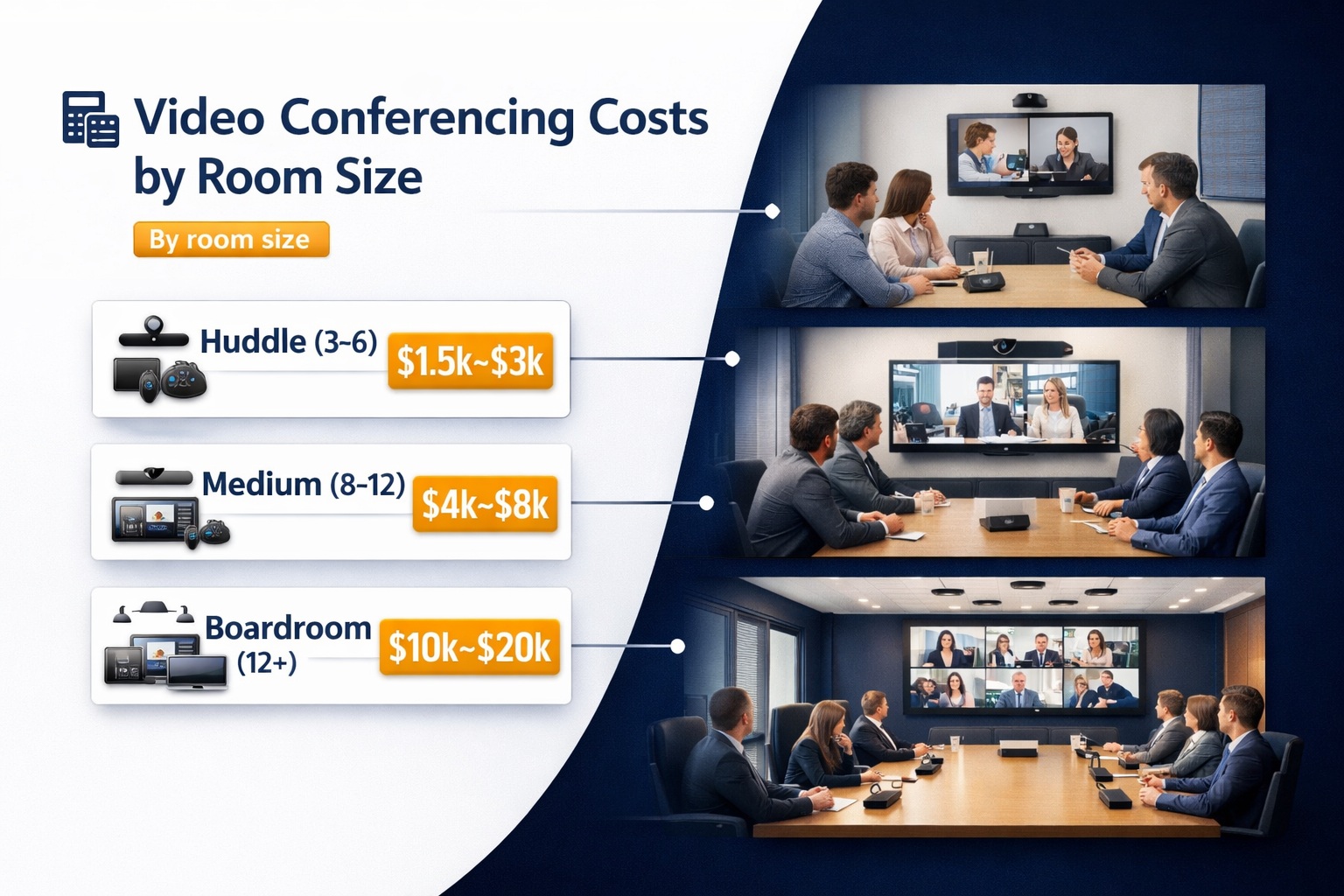
Huddle rooms seat 2-6 people. These are small collaboration spaces—think 10×12 feet or smaller. One small table, a TV on the wall, just enough room for a tight team to meet without booking the main conference room.
Small conference rooms accommodate 6-10 people. Maybe 12×16 feet with a conference table and some breathing room. This is where most departments hold regular meetings.
Medium conference rooms fit 10-16 people comfortably. You’re looking at 16×20 feet or so, often with a larger table and maybe some additional seating along the walls.
Large conference rooms handle 16-30 people. These are 20×30 feet or bigger, with substantial tables and enough space that acoustics actually matter.
Boardrooms are executive spaces seating 12-20 people, but with premium finishes, furniture, and equipment. Size doesn’t matter as much as expectations—everything needs to work flawlessly and look polished.
Town halls and large venues accommodate 30+ people, often 100+. These need completely different AV approaches than smaller spaces.
The room category determines equipment needs, which determines cost. Let’s break it down category by category.
Huddle Room Costs: $3,000 – $8,000
Huddle rooms are the entry point for professional video conferencing. You don’t need much equipment, but what you buy needs to actually work.
Equipment breakdown:
- All-in-one video bar (camera, mics, speaker): $800-1,500
- Display (43″-55″ TV): $400-800
- Room computer or dedicated device: $300-800
- Cabling and mounts: $150-300
- Control touchpanel (optional): $300-600
Total equipment: $2,000-4,000
Installation labor: $800-2,500 depending on complexity. Running cables through walls, mounting displays properly, configuring everything to work together—it takes time. If your walls are finished and you need in-wall cable runs, you’re at the higher end. If you can surface-mount everything, lower end.
Software licensing: $100-300/year per room for platform-specific licenses (Zoom Rooms, Teams Rooms, etc.). This is ongoing, not one-time.
Total project cost: $3,000-8,000 for a functional huddle room that actually works reliably.
Where costs increase:
- Premium displays (4K, better color accuracy)
- Better cameras with wider angles or tracking features
- Professional-grade microphone arrays instead of built-in
- Custom furniture with integrated cable management
- Acoustic treatment for better audio quality
For organizations setting up multiple small meeting spaces, understanding how to design huddle rooms effectively prevents spending money on features these compact spaces don’t need while ensuring you don’t skip essentials.
Small Conference Room Costs: $6,000 – $15,000
Small conference rooms need better equipment than huddle rooms because there’s more space to cover and often more people in frame.
Equipment breakdown:
- PTZ camera or high-quality fixed camera: $1,000-2,500
- Ceiling microphone array or multiple table mics: $800-2,000
- Ceiling speakers or soundbar: $400-1,200
- Display (55″-65″ TV): $600-1,500
- Room control system: $800-2,000
- Room computer/appliance: $500-1,200
- Cabling, conduit, mounting: $400-800
Total equipment: $4,500-11,200
Installation labor: $1,500-4,000. Small conference rooms often need ceiling work for mics and speakers. Running cables properly, mounting equipment at the right heights, and configuring multiple components takes skilled labor.
Software licensing: $150-400/year per room.
Total project cost: $6,000-15,000
The middle-ground trap: Small conference rooms tempt people to cheap out because they’re “not that important.” Then they become the most-used rooms in the office and the cheap equipment fails constantly. Don’t skimp here. These rooms get heavy use.
Where costs go up:
- Multiple displays for large tables
- Advanced camera tracking systems
- Professional acoustic treatment
- Integrated lighting control
- Higher-quality furniture with built-in connectivity
Medium Conference Room Costs: $12,000 – $30,000
Medium rooms are where video conferencing gets complicated. The space is big enough that equipment placement really matters, but not so big that you necessarily need professional-grade everything.
Equipment breakdown:
- PTZ camera with tracking or multiple fixed cameras: $2,000-4,500
- Ceiling microphone array (multiple units): $2,000-4,000
- Distributed ceiling speakers: $800-2,000
- Display(s) (65″-75″ or dual displays): $1,200-3,500
- Room control system with touchpanel: $1,500-3,500
- DSP for audio processing: $800-2,000
- Room computer/appliance: $800-1,500
- Cabling, infrastructure, mounting: $800-1,500
Total equipment: $9,900-22,500
Installation labor: $2,500-7,500. Medium rooms often require more extensive ceiling work, complex cable runs, and careful calibration of multiple audio zones.
Software licensing: $200-500/year per room.
Total project cost: $12,000-30,000
Critical decisions at this size:
- One large display vs. dual displays
- Built-in furniture vs. modular
- Wired connections at table vs. wireless presentation
- Basic lighting vs. integrated lighting scenes
- Standard acoustics vs. professional acoustic treatment
For spaces where custom design makes a real difference in usability, investing in professional conference room layout and design early prevents expensive corrections when you discover the default layout doesn’t actually work.
Large Conference Room Costs: $25,000 – $60,000
Large conference rooms need serious equipment and professional installation. This is where DIY approaches fail and you actually need people who know what they’re doing.
Equipment breakdown:
- Multiple PTZ cameras or camera array: $4,000-8,000
- Extensive ceiling microphone coverage: $4,000-7,000
- Distributed speaker system: $2,000-4,000
- Multiple large displays or video wall: $3,000-8,000
- Professional room control system: $3,000-6,000
- DSP and audio processing: $2,000-4,000
- Room computer/appliance: $1,200-2,000
- Extensive cabling and infrastructure: $2,000-4,000
Total equipment: $21,200-43,000
Installation labor: $5,000-15,000. Large rooms require extensive ceiling work, careful acoustic planning, multiple cable runs, and thorough testing. Professional calibration of audio across a large space takes expertise.
Software licensing: $300-700/year per room.
Total project cost: $25,000-60,000
Why the range is so wide: large rooms can be basic functional spaces or showcase environments. A 30-person room with standard equipment might hit $30,000. The same room with premium displays, advanced camera tracking, and full acoustic treatment hits $55,000+.
Don’t cheap out on:
- Audio coverage (the most common failure point)
- Camera quality and positioning (bad video kills engagement)
- Professional installation (large rooms are complex)
- Acoustic treatment (large rooms sound terrible untreated)
Understanding what complete video conferencing systems require prevents the mistake of buying great cameras and displays while ignoring the audio and control components that make everything work together.
Boardroom Costs: $40,000 – $100,000+
Boardrooms aren’t just large conference rooms. They’re executive spaces where everything needs to work perfectly, look elegant, and never cause embarrassment during important meetings.
Equipment breakdown:
- Premium PTZ cameras or discreet fixed cameras: $5,000-10,000
- High-end microphone arrays (often invisible): $5,000-10,000
- Premium speaker system (in-ceiling, invisible): $3,000-6,000
- Large format display or video wall: $8,000-25,000+
- Enterprise control system: $5,000-10,000
- Professional DSP and processing: $3,000-6,000
- High-end room computer/appliance: $2,000-3,000
- Premium cable management and infrastructure: $3,000-6,000
Total equipment: $34,000-76,000
Installation labor: $8,000-25,000+. Boardrooms demand perfection. Everything needs to be hidden, finished beautifully, and work flawlessly. This takes time and expertise.
Furniture integration: $5,000-15,000 for tables with integrated connectivity, cable management, and premium finishes. Often this is separate from AV budget but essential to the room.
Software licensing: $500-1,000/year per room.
Total project cost: $40,000-100,000+
Why boardrooms cost so much:
- Everything is hidden (in-ceiling mics, concealed cameras, invisible speakers)
- Premium materials and finishes
- Redundancy (backup systems so nothing ever fails)
- Advanced features (presenter tracking, AI framing, automatic lighting)
- White-glove installation and support
For executive spaces where failure isn’t an option, following a detailed boardroom AV equipment checklist ensures nothing gets overlooked before the CEO walks in for their first video call.
Town Hall and Large Venue Costs: $50,000 – $200,000+
Town halls and large venues for 50+ people need completely different approaches than standard conference rooms.
Equipment breakdown:
- Multiple professional cameras (stage, audience, wide): $8,000-20,000
- Extensive microphone coverage (ceiling arrays, wireless handhelds): $8,000-15,000
- Professional sound reinforcement: $5,000-12,000
- Video wall or large projection system: $15,000-50,000+
- Professional control and switching: $8,000-20,000
- DSP and audio processing: $5,000-10,000
- Streaming and recording equipment: $3,000-8,000
- Extensive infrastructure and cabling: $5,000-15,000
Total equipment: $57,000-150,000+
Installation labor: $15,000-50,000+. Large venues require experienced teams, extensive planning, and thorough testing.
Software and licensing: $1,000-3,000/year
Total project cost: $50,000-200,000+
Additional considerations:
- Overflow room AV distribution
- Recording and archiving capabilities
- Live streaming infrastructure
- Presenter confidence monitors and controls
- Sophisticated lighting for video
For facilities hosting regular large-scale events, understanding AV strategies for town hall spaces prevents the common mistake of treating them like oversized conference rooms when they actually need specialized approaches.
Platform-Specific Costs
Your choice of video conferencing platform affects overall cost. Some platforms work with generic equipment, others require certified hardware.
Zoom Rooms: $1,200-2,500/room/year for licensing, plus certified hardware that often costs 10-20% more than generic equivalents. But integration is excellent and support is solid. For organizations standardizing on Zoom, investing in certified Zoom conference room setups prevents compatibility headaches that cheap generic equipment creates.
Microsoft Teams Rooms: Similar pricing to Zoom. Certified hardware, annual licensing, tight integration with Office 365. Works best in Microsoft-centric organizations. Getting Teams-optimized room configurations ensures you’re using the platform’s strengths rather than fighting against them.
Google Meet: Generally more flexible on hardware requirements, lower licensing costs ($200-800/room/year). Good option for budget-conscious deployments. Google Meet conference room installations can leverage more affordable hardware while maintaining good performance.
Webex: Enterprise-grade platform with enterprise-grade pricing. Excellent for large organizations, expensive for small ones. Webex conference room environments deliver exceptional quality but command premium pricing.
Platform-agnostic systems: Build rooms that work with any platform via BYOD (Bring Your Own Device). Lower ongoing costs, more flexibility, but potentially less refined integration.
Understanding how different conferencing platforms compare helps you choose based on actual feature needs and long-term costs rather than just upfront equipment pricing.
Hidden Costs Nobody Tells You About
Every project has costs that don’t appear in initial quotes but definitely appear on final invoices.
Network upgrades: Your existing network might not handle video conferencing traffic. Upgrading switches, adding PoE capability, or running new network drops adds $500-5,000+ per room.
Furniture modifications: Drilling cable pass-throughs in conference tables, adding power outlets, building equipment enclosures—add $500-3,000 per room.
Permit and compliance costs: Some jurisdictions require permits for electrical or structural work. Budget $200-1,000 if applicable.
Training: Staff need to learn the systems. Professional training runs $500-2,000 depending on system complexity and number of people.
Extended warranties and support contracts: Manufacturer warranties are usually 1-3 years. Extended support adds $200-1,000/year per room but prevents paying full price for repairs.
Maintenance and updates: Equipment needs firmware updates, occasional recalibration, and eventual replacement. Budget 5-10% of equipment cost annually.
Testing and certification: Professional post-installation testing and documentation adds $500-2,000 per room but catches issues before users discover them.
Getting proper AV wiring and cable infrastructure done correctly during installation prevents the nightmare of having to open up walls later because someone cheaped out on conduit.
Where to Splurge vs. Where to Save
Not every component deserves premium spending. Here’s where money matters most:
Splurge on:
- Microphones and audio processing (bad audio kills meetings)
- Professional installation (fixing bad installation costs more than doing it right initially)
- Room calibration (uncalibrated systems underperform)
- Cable infrastructure (cheap cables fail; replacing them is expensive)
Save on:
- Displays (mid-tier displays work fine; ultra-premium rarely worth it)
- Room computers (adequate spec devices work; overpowered wastes money)
- Cable brands (decent cables work; exotic cables are marketing)
- Decorative elements (nice but not functional)
Never save on:
- Network infrastructure (video conferencing demands bandwidth)
- Audio coverage (gaps in mic coverage ruin meetings)
- Professional calibration (uncalibrated systems sound terrible)
Investing in professional lighting and sound calibration after installation makes a dramatic difference—often transforming adequate equipment into excellent performance through proper tuning.
Installation Labor Breakdown
Let me demystify what you’re actually paying for when you hire professionals.
Planning and design: 10-20% of labor cost. Site surveys, equipment selection, CAD drawings, detailed specifications. This prevents expensive mistakes.
Physical installation: 40-50% of labor cost. Running cables, mounting equipment, cutting holes, making connections. This is skilled work that takes time.
Configuration and programming: 20-30% of labor cost. Connecting everything to networks, programming control systems, configuring audio DSP. Requires specialized knowledge.
Testing and calibration: 10-15% of labor cost. Systematic testing of every feature, audio calibration, camera adjustments. Time-consuming but essential.
Documentation and training: 5-10% of labor cost. Creating user guides, training staff, documenting configurations for future reference.
For complex deployments across multiple room types, working with specialists in complete video conferencing equipment setup ensures consistent quality and reduces the per-room cost through efficient processes.
DIY vs. Professional Installation
Can you save money doing it yourself? Sometimes. Should you? Depends on the room and your skills.
DIY makes sense for:
- Small huddle rooms with all-in-one equipment
- Rooms where you can surface-mount everything
- Situations where you have technical expertise
- Budgets under $5,000 where labor costs are proportionally high
Professional installation is worth it for:
- Any room requiring in-wall cable runs
- Rooms with ceiling-mounted equipment
- Multi-component systems requiring integration
- Executive spaces where failure isn’t acceptable
- Anything over $10,000 in equipment cost
Cost comparison: DIY saves $800-5,000 in labor but risks poor performance, wasted equipment, and time spent troubleshooting. Professional installation costs more upfront but delivers reliable results and ongoing support.
The middle ground: Buy equipment yourself, hire professionals for installation only. This saves on equipment markups while getting expert installation. Just make sure the installer will warranty work on equipment they didn’t sell.
Financing and Budget Strategies
Most organizations don’t have $50,000+ sitting around for conference room upgrades. Here’s how companies actually pay for this:
Capital budgets: Large one-time investments from annual CapEx budgets. Works for organizations that plan annually and have budget flexibility.
Phased rollouts: Install one room at a time as budget allows. Start with highest-priority spaces, expand over months or years.
Lease programs: Monthly payments instead of upfront costs. Equipment leases run $100-2,000/month depending on room scope. After 36-60 months, you own the equipment or can upgrade.
Subscription services: Some providers offer “room-as-a-service” models where you pay monthly for equipment and support. No upfront cost, but ongoing monthly fees forever.
Hybrid approaches: Buy standard equipment outright, lease premium components. For example, buy cameras and displays but lease the control system.
ROI justification: Calculate travel costs saved, meeting efficiency gained, and employee time recovered. Video conferencing often pays for itself in 12-24 months through reduced travel alone.
Ongoing Costs After Installation
The initial installation isn’t your only cost. Plan for ongoing expenses:
Software licensing: $100-1,000/room/year depending on platform and features. Non-negotiable for most modern systems.
Support contracts: $200-1,000/room/year for professional support. When systems fail, you want someone who can fix them fast.
Maintenance and repairs: Budget 5-10% of equipment cost annually. Cameras fail, displays die, cables wear out.
Network bandwidth: Video conferencing consumes bandwidth. Ensure your internet plan can handle it. Upgrades run $50-500/month.
Upgrades and updates: Technology evolves. Plan to refresh equipment every 5-7 years. This isn’t an annual cost but it’s inevitable.
Training for new staff: As people join, they need training on systems. Budget $100-300/person for thorough training.
Understanding how to run productive meetings with your video conferencing investment ensures your expensive equipment actually improves business outcomes rather than sitting unused because nobody knows how to use it effectively.
Security Costs and Considerations
Video conferencing security isn’t free, and cutting corners creates massive risks.
Network segmentation: Isolating video conferencing traffic from other network traffic requires VLANs, additional switches, and configuration. Add $500-2,000 per room for proper network security architecture.
Encrypted connections: Most modern platforms handle this, but enterprise-grade encryption and security monitoring add $200-500/room/year. For organizations handling sensitive information, understanding why encrypted video conferencing is essential justifies the additional investment.
Physical security: Cameras and microphones in conference rooms raise privacy concerns. Physical disconnect switches, indicator lights, and access controls add $200-800 per room.
Compliance requirements: Healthcare, finance, and government organizations have specific compliance requirements (HIPAA, SOC 2, FedRAMP). Meeting these standards adds 10-30% to total project costs through additional hardware, software, and documentation requirements.
Following video conferencing security best practices prevents data breaches that cost far more than the upfront security investment.
Real-World Budget Examples
Let me give you actual project examples with real numbers:
Small tech startup (3 huddle rooms): $22,000 total
- 3 huddle rooms at $6,500 each: $19,500
- Network upgrades: $1,500
- Training: $1,000
Mid-size company (2 small conference, 1 large conference): $65,000 total
- 2 small conference rooms at $12,000 each: $24,000
- 1 large conference room: $35,000
- Network infrastructure: $4,000
- Training and documentation: $2,000
Enterprise deployment (1 boardroom, 3 medium conference, 5 huddle): $185,000 total
- Boardroom: $75,000
- 3 medium conference rooms at $20,000 each: $60,000
- 5 huddle rooms at $6,000 each: $30,000
- Network upgrades and infrastructure: $12,000
- Extended support contracts: $5,000/year
- Training program: $3,000
These are realistic numbers for quality installations that actually work. Cheaper quotes exist but usually skip essential components or use inferior equipment.
Making the Investment Decision
How do you know if professional video conferencing is worth the cost?
Calculate current costs:
- Travel expenses for meetings
- Lost productivity from poor communication
- Recruitment challenges (talent wants remote options)
- Real estate costs (could you reduce office space with better remote work?)
Project savings:
- Reduced travel: $500-5,000/month for most companies
- Faster decision-making: Hard to quantify but real
- Better collaboration: Remote teams work better with good video
- Real estate reduction: Some companies reduce footprint by 20-30% with effective remote work
Payback period: Most organizations see ROI in 12-24 months on properly deployed video conferencing. This isn’t counting the competitive advantage of better communication.
Risk of cheap alternatives: Poor video conferencing frustrates employees and fails during important moments. The risk of lost deals, damaged relationships, or poor employee experiences often exceeds the savings from cheap equipment.
Understanding how video conferencing solutions improve business outcomes helps justify the investment when comparing quotes from different vendors.
Working with Vendors and Getting Quotes
When you’re ready to actually buy, here’s how to get accurate quotes:
Provide complete information:
- Room dimensions and photos
- Seating capacity needed
- Platform requirements (Zoom, Teams, etc.)
- Budget range (being upfront saves everyone time)
- Timeline and priorities
Ask detailed questions:
- What’s included vs. what costs extra?
- Who handles installation and how long does it take?
- What’s the warranty and support structure?
- What are the ongoing costs?
- Can you see similar installations they’ve done?
Get multiple quotes: Three quotes is standard. Cheapest isn’t usually best, but neither is most expensive. Look for the sweet spot of quality equipment, professional installation, and reasonable pricing.
Check references: Talk to other clients who’ve had similar installations. Ask about what went wrong and how the vendor handled it.
Understand the contract: What’s the payment schedule? What happens if you’re not satisfied? Who owns the equipment? What’s covered under warranty vs. paid support?
For comprehensive deployments across multiple spaces, working with a full-service video conferencing partner who handles design, installation, and ongoing support prevents the coordination nightmare of managing multiple vendors.
Final Thoughts on Budgeting
Here’s my honest take after doing this for years: most organizations underestimate what good video conferencing costs, then either waste money on inadequate systems or get sticker shock when they see real quotes.
Start with clear requirements. Know your room sizes, user counts, platform needs, and quality expectations. Get real quotes based on actual needs, not marketing “starting at” prices.
Budget for the full system—equipment, installation, training, and ongoing costs. Don’t forget the hidden costs that always appear.
And remember: video conferencing is infrastructure. It’s not a one-time expense you can cheap out on. It’s a foundation that enables communication, collaboration, and flexibility for years. Doing it right the first time costs less than doing it twice.
The numbers I’ve shared are real. They’re what quality installations actually cost. Could you spend less? Sure. Will it work as well? Probably not. Could you spend more? Absolutely—there’s no ceiling on what you can spend.
But somewhere in these ranges, you’ll find the sweet spot for your organization—the balance of cost, quality, and capability that makes video conferencing an asset rather than a frustration.
That’s what you’re really paying for: meetings that work, technology that’s reliable, and communication that brings people together regardless of where they’re sitting. When you look at it that way, the investment makes a lot more sense.