
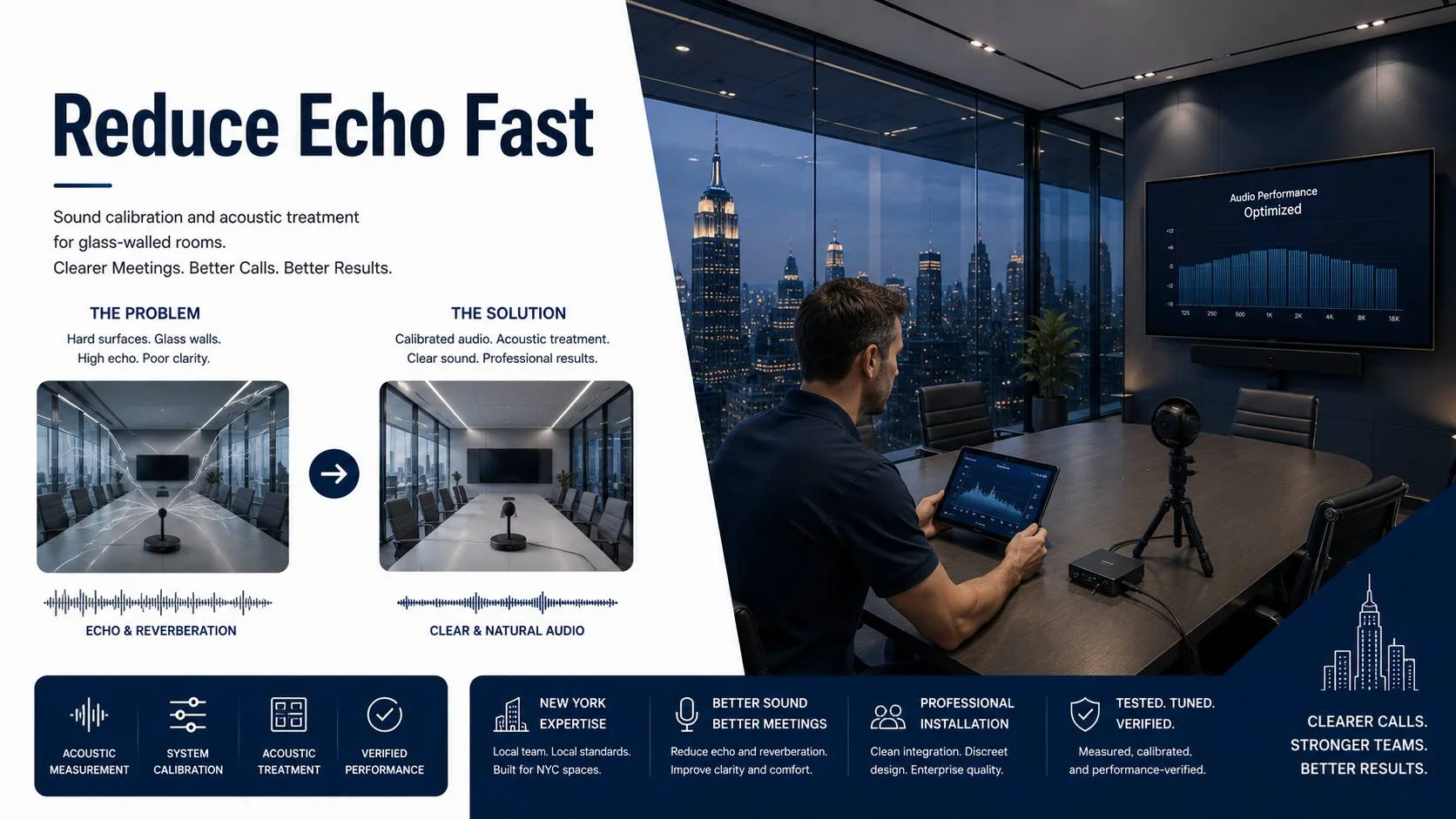
Glass-walled conference rooms are everywhere in modern offices. They look good. They let natural light in. They create a sense of openness that closed-off rooms don’t. Architects love them. Interior designers love them. The people who have to make video calls from inside them have a different opinion.
The problem is physics. Glass is one of the most reflective surfaces a sound wave can encounter in a building. When someone speaks in a glass-walled room, their voice hits every glass surface and bounces back. Multiple reflections arrive at the microphone at different delays, layering over the direct voice signal. The result is a muddy, hollow sound that echo cancellation software can only partially fix.
This article walks through a real-world scenario: a midsize financial services firm in Manhattan with four glass-walled conference rooms of varying sizes. All four were in daily use for client and internal calls. All four had consistent audio complaints from remote participants. The project involved diagnosing each room’s specific problems and implementing a combination of hardware, treatment, and calibration changes that brought all four rooms to a standard where audio complaints stopped.
We’re using this as a case study format not because case studies are inherently more reliable than general advice, but because the details matter in audio work. The same techniques don’t apply to every room, and seeing the diagnostic and decision process for a specific set of rooms is more useful than a generic list of recommendations.
This guide covers one part of a larger subject. For the full picture, see our complete guide to room audio and lighting for video meetings.
The Rooms: A Baseline Description
Before any work started, each room was characterized. The goal was to understand what each room was actually doing to sound before recommending anything.
Room 1: 6-person huddle room. Approximately 12 by 14 feet. Three glass walls facing the open office. One solid wall at the far end with the display. Hard tile floor. Drop ceiling with standard acoustical tiles. Conference table with hard plastic chairs. Single integrated video bar mounted below the display.
Room 2: 8-person conference room. Approximately 14 by 18 feet. Two glass walls. One painted drywall wall with the display. One painted drywall wall with a whiteboard. Commercial carpet. Drop ceiling. Upholstered chairs. Single boundary microphone on the table. Codec connected to a third-party camera and speaker system.
Room 3: 10-person executive boardroom. Approximately 16 by 22 feet. One full-length glass wall overlooking the trading floor. Three solid walls with painted drywall. Polished concrete floor. Exposed concrete ceiling. High-end furniture. No dedicated sound treatment. Premium integrated video bar plus two ceiling speakers flanking the display.
Room 4: 12-person divisible room. Approximately 20 by 24 feet, capable of dividing into two equal rooms. Glass wall on one long side. Solid walls on the other three sides. Commercial carpet. Drop ceiling. Separate microphone systems for each room half. Boundary mics in each sub-room.
Each room was assessed with a measurement microphone, a simple RT60 measurement process, and a live call test where a remote participant in a controlled quiet environment gave feedback on what they were hearing from each seat.
Room 1 Diagnosis: The Maximum Challenge
The 6-person huddle room with three glass walls was the worst-performing room in the building. The RT60 measurement came in at 0.82 seconds, which is roughly double the target of 0.35 to 0.45 seconds for a room this size.
The call test confirmed what the measurement predicted. Remote participants described the audio as “echoey,” “hollow,” and “hard to follow.” The person at the seat farthest from the video bar’s microphone was barely audible. The HVAC noise floor was elevated because an air supply diffuser was positioned almost directly above where the table sat.
Three problems to solve simultaneously: excessive reverberation from the glass walls, inadequate microphone coverage for the far seat, and HVAC noise pickup.
The team walked through treatment options given the constraint that nothing could be permanently attached to the glass walls. Options for that surface were limited to furniture, freestanding elements, or temporary applied treatments.
What Was Done for Room 1
Floor treatment. The hard tile floor was the single most impactful changeable surface. A commercial-grade area rug sized to fit under the table and extend approximately 18 inches on each side was specified and installed. This alone changed the room’s character measurably in the measurement data. The initial post-rug RT60 measurement dropped to 0.64 seconds, still above target but a significant improvement from baseline.
Ceiling panels. Two fabric-wrapped absorption panels, 24 by 48 inches each, were suspended from the drop ceiling grid directly above the table using standard ceiling tile hardware. The panels hung 8 inches below the ceiling plane. Combined with the rug, this brought the RT60 down to 0.48 seconds.
Freestanding absorption element. A freestanding acoustic panel mounted in a floor stand was positioned on the glass wall behind the two end seats where HVAC sound was coming from that direction. This brought the RT60 to 0.41 seconds and also helped reduce HVAC noise pickup from that wall by placing a soft absorptive barrier between the diffuser zone and the table.
Microphone upgrade. The single integrated video bar’s microphone was insufficient for the 14-foot room depth, particularly the far seats. A table pod was added at the midpoint between the bar and the far end of the table, connected to the bar’s audio processing system. This extended coverage to every seat with consistent capture levels.
DSP recalibration. The video bar’s echo cancellation and noise suppression parameters were reconfigured after the room treatment was in place. Factory defaults assume a clean acoustic environment that no real room matches. The recalibrated settings reduced the aggressiveness of noise suppression slightly (since the room treatment had already reduced the noise floor) while improving the echo cancellation reference accuracy.
Post-work call test: the remote participant described the audio as “much cleaner” and could hear all positions at consistent volume. HVAC noise was no longer mentioned. Huddle room AV design that accounts for glass walls from the start avoids the retrofitting challenge this room presented.
Room 2 Diagnosis: The Coverage Gap
Room 2 was a more straightforward problem. The RT60 measured 0.51 seconds, which is above target but not severely. The call test revealed the real issue quickly: the two seats at the far end of the table were significantly quieter for remote participants than the four seats near the microphone.
Coverage gap, not reverberation. The single boundary microphone in the center of the table was doing a reasonable job for the center seats but wasn’t reaching the ends of a 16-foot table.
The room had carpet, which was helping. It had upholstered chairs, which contributed. The walls were drywall rather than glass on three of the four sides, which limited reflection intensity. The treatment situation was better than Room 1 by a significant margin.
What Was Done for Room 2
Second boundary microphone. A matching boundary microphone was added at the far end of the table from the existing one. Rather than centering both microphones (which would have over-served the middle and under-served the ends), the original mic was repositioned to cover the first third of the table and the new mic was positioned to cover the second third, with both having overlapping coverage in the center zone.
Side wall treatment. The glass wall, which ran the full length of the room on one side, was addressed with three fabric-wrapped panels installed on the opposing drywall wall rather than on the glass. Treating the glass directly wasn’t possible with the available hardware. Treating the opposing wall reduced the strength of reflections that would otherwise bounce off the drywall and travel back toward the glass, reducing the flutter echo pattern that was contributing to the room’s reverberant character.
DSP configuration. The codec’s gate thresholds were adjusted to better accommodate two microphone inputs. Default settings for dual microphone setups often produce an audible switching artifact where the active microphone changes noticeably. Proper threshold calibration reduced this to the point where microphone transitions were transparent.
Post-work call test: coverage was confirmed to be consistent from every seat. The far-end seats were indistinguishable from the near-end seats in terms of remote participant perception. RT60 post-treatment measured at 0.39 seconds.
Custom conference room audio design for rooms where coverage gaps are the primary problem starts with table length and microphone range calculations before any hardware is specified.
Room 3 Diagnosis: The Hard Room
Room 3 was the most challenging room in the building from an audio standpoint despite having the best hardware and the highest budget of any space.
The polished concrete floor and exposed concrete ceiling created a room that functioned like a hard box. The measurement confirmed it: RT60 at 1.1 seconds, more than double the target and the worst measurement in the building despite the expensive furniture and premium AV hardware.
The one glass wall, while problematic, was actually a smaller contributor to the total reverberation than the concrete surfaces. Hard, smooth concrete is extremely reflective across the full frequency range. The room had no carpet, no soft ceiling surfaces, no fabric panels, and minimal soft furnishings. The furniture was expensive but it was hard surfaces: polished wood table, leather chairs.
The premium video bar was capturing the room faithfully. The room just sounded bad. No amount of recalibrating the DSP was going to fix a 1.1-second RT60.
The business case for treatment here was straightforward. The room was used for executive-level client calls daily. The audio quality was actively undermining the impression those calls made.
The constraint was aesthetic. The client was clear: treatment could not look like treatment. Any additions to the room needed to look intentional and designed.
What Was Done for Room 3
Acoustic art panels. Four custom-printed fabric-wrapped absorption panels, 36 by 48 inches each, were specified in an art print format and installed on the three solid walls and as a ceiling element. The prints were selected from the company’s brand image library and printed on acoustically transparent fabric stretched over a 4-inch-deep absorptive substrate. To a visitor in the room, they appeared to be framed artwork. Acoustically they were performing as absorption panels at the critical mid and high frequencies where speech intelligibility problems are most severe.
Large-format area rug. A custom area rug was specified to fit the full table footprint plus seating positions on all sides. The rug extended from the display wall to within two feet of the glass wall. On a polished concrete floor in this size room, a rug of this coverage made a dramatic difference to the room’s measured response.
Ceiling cloud above the table. A suspended flat ceiling element was installed above the center of the table using aircraft cable hangers. The element was finished with a stretched white fabric with a subtle texture that read as an architectural ceiling feature rather than a treatment panel. The 8-inch deep core was filled with absorptive material. This single element accounted for the largest single improvement in RT60 across all the treatments in the room.
Leather chair backs. This one is a detail worth noting. The original chairs had leather backs and seats, which provided minimal absorption. The chairs were respecified with a high-density foam seat cushion covered in fabric, while maintaining the leather back for visual consistency with the room’s aesthetic. The contribution of eight fabric seat cushions in a room this size is not trivial.
Post-treatment RT60 measured at 0.44 seconds. From 1.1 to 0.44 without anything that looked like acoustic treatment. The premium video bar that had been capturing a reverberant mess was now capturing clean speech. Post-treatment call test: remote participants described the audio as “much better” and “finally professional.” No echo complaints.
Boardroom AV calibration for executive spaces where aesthetics can’t be compromised requires this kind of creative treatment approach. The hardware doesn’t fix the room. The room has to be fixed for the hardware to perform.
Room 4 Diagnosis: The Configuration Problem
The divisible room presented a different category of challenge. In divided mode, each sub-room was a roughly 10 by 20-foot space. In combined mode, the full 20 by 24-foot space was used for larger meetings.
The boundary mics in each sub-room worked adequately in divided mode for the seats near them. The coverage gaps were at the ends of the sub-rooms farthest from the microphones. In combined mode, the microphone coverage was completely inadequate. The combined room had two boundary mics, each positioned for half-room coverage, with a large gap in the middle and inadequate coverage for the expanded seating area.
The glass wall added reverberation. The carpet and drop ceiling helped. The fundamental problem was system configuration: the microphone system wasn’t designed for combined-room operation.
What Was Done for Room 4
Ceiling microphone array. A beamforming ceiling array was specified for the combined-mode configuration. It was positioned above the center of the full room’s table zone, with beam coverage calculated to cover the full seating perimeter in combined mode. In divided mode, the ceiling array handles one sub-room while the existing boundary mic handles the other.
Routing update. The room’s AV routing system was reconfigured to switch microphone inputs based on room configuration. In divided mode, each half uses its designated microphone system. In combined mode, the ceiling array becomes the primary input for the combined call.
Partition tracking. A simple reed switch sensor was added to the room partition to detect whether it was open or closed. The control system monitors this and automatically switches microphone routing without requiring manual input. The room reconfigures its audio system when the physical room configuration changes.
Treatment in each sub-room. Each half-room received one wall panel on the solid wall opposite the glass, and a ceiling absorber above the table zone. This brought sub-room RT60 values into the 0.45-second range.
Divisible conference room AV systems that handle configuration switching automatically are significantly more reliable than manual routing changes that depend on someone remembering to switch the audio inputs.
The Calibration Process: What Actually Happens
Each room, after physical changes were made, went through a formal calibration process. This step is what most installations skip, and it’s what separates a room that’s been fixed from a room that’s been optimized.
Calibration for conference room audio involves several distinct steps.
Acoustic measurement verification. After treatment is installed, RT60 measurements are taken at the table level from multiple positions. This confirms the treatment has achieved the target reverberation time and identifies whether additional treatment is needed in specific frequency bands. Bass reverberation is often longer than mid-frequency reverberation even after treatment, because standard absorption panels don’t address low frequencies as effectively.
Speaker delay and level calibration. The speakers in the room are set to the correct output level for the room’s volume and background noise floor. In rooms with multiple speakers, delay alignment ensures that speakers don’t produce audible echoes from timing differences between units. This is measured rather than estimated.
Microphone sensitivity and placement verification. Measurement from every seat confirms that capture levels are within an acceptable range across all positions. A microphone system that captures the nearest seat at -20 dB and the farthest at -35 dB is producing intelligibility differences that remote participants will notice. Calibration aims for consistency within a few decibels across all positions.
DSP parameter optimization. Echo cancellation training references are updated after the room’s acoustic treatment is in place. Noise floor baselines are set based on the actual ambient noise in the room. Gate thresholds are configured to work with the specific microphone positions and room noise profile. These settings are documented and stored.
Live call testing with structured feedback. A call is run with a remote participant who listens from each seat position while the calibrator adjusts parameters in real time. This is the most important validation step because it tests the actual experience rather than the measurements. Sometimes a room measures well but sounds off for reasons that measurement doesn’t capture. Live call testing catches these discrepancies.
Professional conference room audio calibration is what this process produces as a deliverable. Not just hardware in a room but a calibrated system verified to perform correctly for its intended use.
What Changed for Each Platform
The four rooms in this project used different conferencing platforms. This matters because calibration parameters interact with platform-level audio processing.
Room 1 used Zoom exclusively. After calibration, the system was tested specifically for how Zoom’s noise suppression interacted with the room’s treatment and the updated DSP settings. Zoom’s AI noise suppression can create artifacts when the source audio contains complex reverberation. With the room’s RT60 reduced, the suppression worked more naturally and produced fewer artifacts. Zoom room audio tuning for rooms where software processing interacts with room hardware is a distinct step from general DSP calibration.
Room 2 used Microsoft Teams. The Teams audio processing stack has different characteristics from Zoom’s, particularly in how it handles the automatic gain control and voice activity detection. The boundary microphone system was calibrated to work within Teams’ sensitivity expectations. A room that’s calibrated for one platform may need adjustment for another if the organization switches. Microsoft Teams conference room audio setup involves these platform-specific considerations as part of the deployment.
Room 3 used Google Meet for most calls and occasionally Zoom for external client calls. The calibration confirmed that the same room settings produced good results on both platforms, which is often the case when the room’s acoustic environment is properly controlled. Platform differences matter more in difficult rooms where the DSP is working harder to compensate. Google Meet room configuration in a well-treated room is relatively forgiving.
Room 4 used Webex for all calls, which was the client’s enterprise platform. Webex’s audio processing is tuned for the Cisco hardware ecosystem but performs well with certified third-party microphone systems. The ceiling array specified for this room was Webex-certified, which simplified the integration. Webex room audio deployment using certified hardware removes a variable from the calibration process.
Documentation and Handoff
Each room’s calibration produced a documentation package:
Measurement results before and after treatment, showing RT60 values at each frequency band and at each measurement position. DSP parameter settings for the codec, microphone processing unit, and any standalone DSP. Speaker level and delay settings. Microphone placement diagrams with coverage zone annotations. Known limitations, if any, and the conditions under which those limitations become relevant. Recommended maintenance checkpoints, specifically when DSP parameters should be reverified.
This documentation serves the maintenance relationship. When a component is replaced six months later, the documentation tells the replacement technician exactly what settings were used and what they achieved. Without it, the replacement is starting from scratch.
Conference room AV equipment setup documentation is part of what a complete professional installation delivers. Hardware in a room without documentation is infrastructure that degrades silently.
What Didn’t Work and Why
Honest case studies include the things that didn’t work.
In Room 1, the original plan included window privacy film on one of the glass walls as a treatment element. The film didn’t perform measurably. Privacy films are generally thin enough that they don’t add meaningful mass or absorption to the glass surface. The glass still reflected sound as effectively as without the film. The film was useful for visual privacy but contributed nothing to the audio performance. This is a commonly cited treatment option that sounds plausible but doesn’t hold up in measurement.
In Room 3, the first placement of the ceiling cloud was over the display end of the room rather than centered above the table. The reasoning was that this would reduce reflections from the display end wall and improve the separation between the speakers and the microphone. The measurement showed it made minimal difference in that position. Moving it to above the center of the table produced the significant improvement noted in the case study. Position matters for treatment elements, not just presence.
In Room 4, an initial attempt to use the existing boundary microphone system with extended settings for combined-mode coverage failed. The table was too long and the DSP couldn’t produce consistent capture at the combined-room distances even with gain adjustment. The ceiling array was necessary, not optional.
Applying This to Your Rooms
Glass-walled conference rooms are common enough that the patterns from this case study apply broadly. The specific solutions vary, but the diagnostic process is consistent.
Measure before specifying. An RT60 measurement tells you what you’re dealing with before you spend money on treatment or hardware. A room with a 0.5-second RT60 needs a different intervention than one with a 1.1-second RT60.
Identify whether the problem is reverberation, coverage, or noise. These require different solutions and treating the wrong problem wastes the budget.
Treat the room before upgrading the microphone. In most glass-walled rooms, treatment produces a larger improvement per dollar than microphone upgrades in the same space. Test the existing microphone in the treated room before assuming it needs to be replaced.
Platform-specific calibration matters. Zoom, Teams, Meet, and Webex all process audio differently. A room that’s calibrated for one should be verified on others if multiple platforms are used.
Document everything. The calibration that exists only in one technician’s memory is not a durable asset.
Video Conferencing NY provides sound calibration and conference room audio assessment for New York offices, including measurement, treatment specification, hardware calibration, and post-installation verification. Glass-walled rooms present a specific challenge that benefits from a structured diagnosis process rather than hardware replacement guesswork.
The four rooms in this case study went from consistent audio complaints to consistent audio satisfaction. Nothing in that process required replacing the building’s glass walls. It required understanding what the rooms were doing to sound and addressing each problem with the right tool for that problem.
That’s what calibration is. Not making the most of a bad situation, but understanding the situation well enough to fix the actual problem.