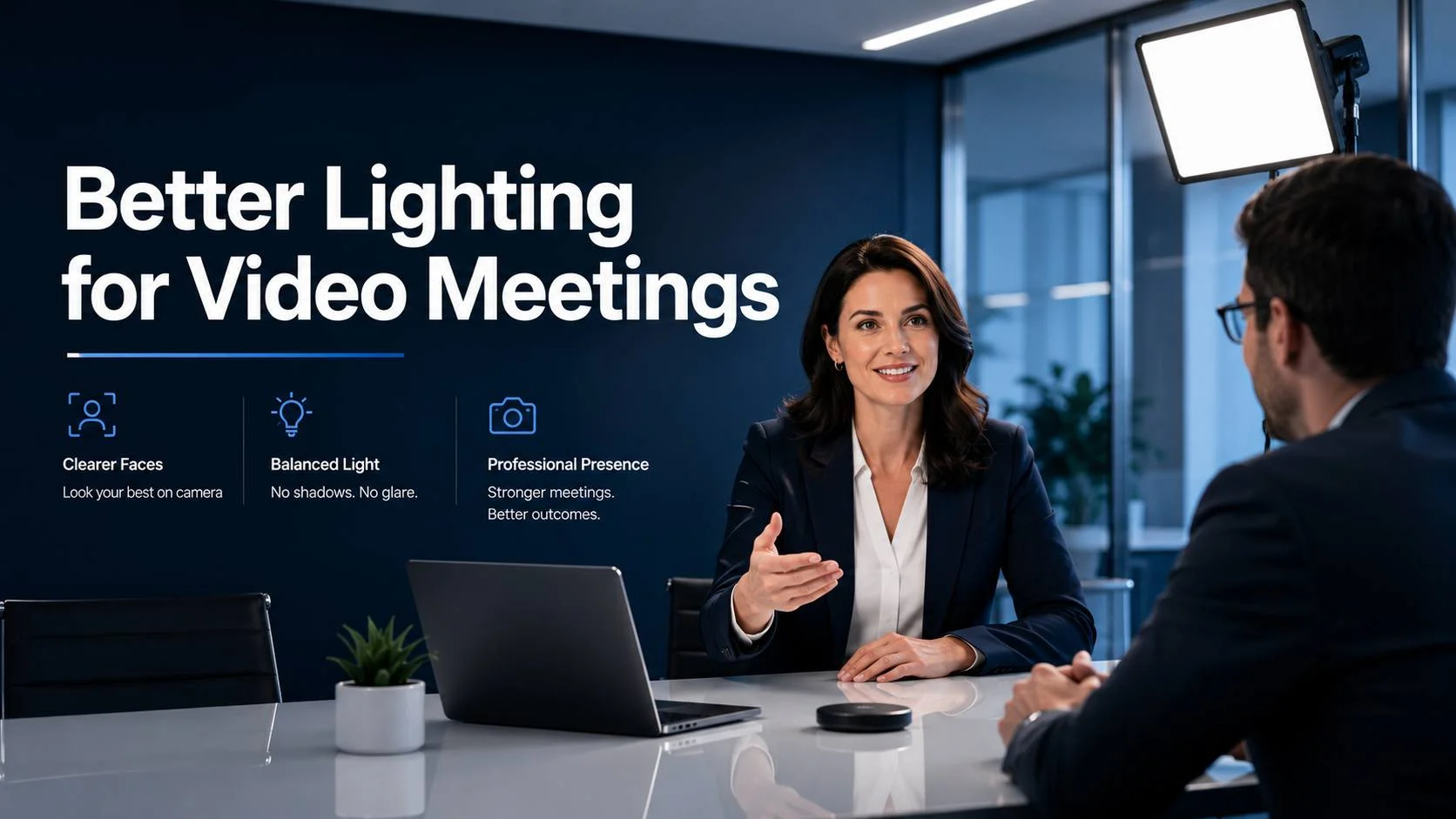
There’s a reason news anchors and podcast hosts look so good on camera. It’s not the camera. It’s not the software. It’s the light. Specifically, it’s where the light is coming from and how it’s controlled.
The average conference room does almost everything wrong by that standard. Overhead panels blasting straight down from the ceiling. A window somewhere creating a bright background. Mixed light sources pulling color in different directions. A camera trying to make sense of the whole mess and mostly failing.
Remote participants on the other end see faces that look flat, shadowed, or washed out. Nobody mentions it because it’s so universal that it’s accepted as just how video calls look. But it doesn’t have to look that way. The same principles that make someone look good on a TV broadcast work in a conference room, and most of them don’t require anything exotic.
This article is about those principles, applied practically to real conference rooms. No fancy lighting equipment required. Just an understanding of what cameras need and how to give it to them.
This guide covers one part of a larger subject. For the full picture, see our complete guide to room audio and lighting for video meetings.
What a Camera Actually Needs
Before fixing anything, it helps to understand what’s going wrong. A camera is essentially a light-measuring device. It looks at the scene, estimates the overall brightness, picks an exposure setting, and captures whatever it sees. The problem is that automatic exposure systems are designed to produce a correctly exposed image overall, not to optimize specifically for human faces.
When there’s a bright window behind the people in the room, the camera exposes for the window. The window looks fine. The people in front of it become silhouettes. This isn’t a camera failure. It’s the camera doing exactly what it’s supposed to do with the information it has. The information is just wrong.
When the only light in the room comes from overhead panels, the camera gets enough exposure on the top of people’s heads and their shoulders. Their faces, below that light source, are in relative shadow. The camera boosts gain to try to bring up the darker areas and the image gets grainy. Expressions become harder to read.
What a camera needs for great results is simple: enough light, coming from the right direction, at a consistent color temperature. That’s the whole thing. Everything else in conference room lighting design is just applying that principle to specific rooms and specific problems.
The Direction Problem: Why Overhead Light Fails
Ask someone to stand directly under a single overhead light and take their photo. It’s one of the most unflattering lighting setups you can create. The light comes from directly above, casting heavy shadows under the eyebrows, beneath the nose, and under the chin. The forehead gets bright. The eyes go dark. The face loses its three-dimensional quality and looks flat and slightly sinister.
That’s what conference room overhead lighting does to everyone on every call. It’s not a perception issue or bad optics. It’s physics. Light from directly above creates shadows in the places faces have depth.
The fix is light from the front. Not exclusively from the front, but significantly from the front. Front fill light comes from roughly the same direction as the camera, or slightly above it, and illuminates the face without creating those deep overhead shadows. It’s what makes a news anchor’s face look naturally lit even though they’re sitting in a TV studio.
In a conference room, front fill means light coming from the display end of the room, aimed toward the people seated at the table. This doesn’t require installing theatrical fixtures. A properly aimed LED panel recessed into the ceiling on the display wall, a cove fixture above the display running a light strip aimed outward, or even track lighting on the display-end ceiling pointed back toward the table all achieve this.
The front fill doesn’t need to be the dominant light source in the room. It needs to be present and balanced with the overhead lighting. When both are working together, the overhead light provides general illumination and the front fill eliminates the harsh facial shadows. The result is a face that looks natural and three-dimensional on camera.
Professional lighting calibration for conference rooms involves exactly this kind of tuning: measuring what the camera sees, identifying where the shadows and hot spots are coming from, and adjusting or adding fixtures to hit the right balance at face level across every seat at the table.
Windows: The Most Common Reason Calls Look Bad
Walk through any office building and you’ll find conference rooms with windows. Usually they’re behind the participants relative to the camera. Sometimes they’re to the side. Rarely are they on the camera end of the room where they’d actually help.
A window behind participants is the single most common reason conference room video looks bad. Here’s the sequence of events: the sun or the bright sky outside the window produces significantly more light than the artificial lighting inside the room. The camera’s auto-exposure tries to balance the scene. To prevent the window from being completely blown out, it reduces the exposure. The people in the foreground, who were already less bright than the window, are now underexposed. They become dark and murky.
Closing the blinds solves this completely. The problem is that nobody does it reliably. It slips someone’s mind, there’s a disagreement about whether to close them, or the blinds are old and warky and nobody wants to deal with them. So the window stays open and the calls stay bad.
Motorized shades that integrate with the room’s AV system are the right long-term answer. When a call starts, the shades automatically move to a preset position that manages the window light. No manual intervention. No forgotten blinds. The same window exposure on every call regardless of time of day or weather.
In rooms where the window faces are variable, sheer solar shades are often better than blackouts. A sheer shade reduces the window’s luminance significantly without blocking daylight entirely. The window becomes a soft, diffused light source rather than a glaring bright spot, and the camera can handle it cleanly.
Custom conference room design and layout accounts for window orientation from the start, including specifying shading solutions as part of the room’s AV system rather than treating window management as an interior design afterthought.
Color Temperature: The Invisible Problem
Here’s a lighting problem that’s genuinely invisible to the people in the room but shows up clearly on camera. Color temperature.
Visible light exists at different color temperatures, measured in Kelvin. Warm light, around 2700K to 3000K, has a yellow-orange quality. Neutral light around 4000K is white. Cool light at 5000K to 6500K has a blue-white quality. Daylight varies between about 5500K on a clear day and 6500K in open shade.
A camera’s white balance system is designed to correct for a single color temperature. It assumes everything in the scene is illuminated by light of roughly the same color and adjusts accordingly. When the scene contains multiple light sources at significantly different color temperatures, the white balance gets confused. Some areas of the image look too warm. Others look too cool. Faces take on color casts that make people look off.
A typical conference room has recessed LED overhead panels at around 4000K, warm-white wall sconces at 2700K, and natural daylight from windows at 5500K or higher, all in the same room simultaneously. The camera picks one white balance and everything lit by the other sources looks wrong.
The solution is source consistency. When all the artificial light in the room is at the same color temperature, the camera has one reference point. It white-balances correctly and faces look natural.
For new installations, specifying all fixtures at the same color temperature from the start costs nothing extra. For existing rooms with mixed sources, replacing the worst offenders, usually the warm wall sconces or older fluorescent tubes at unexpected color temperatures, often resolves the problem without replacing everything.
The right color temperature for a conference room used primarily for video calls is 3000K to 3500K. Warm enough to look flattering and human. Cool enough to look clean and professional. Not so warm that skin tones shift orange. Not so cool that the room feels clinical and the light looks harsh.
Illuminance Levels: How Much Light Is Enough
Light quantity matters alongside light direction and quality. Cameras need a minimum level of illumination to produce a clean image without resorting to digital gain.
Gain is the camera’s way of compensating for insufficient light. When the scene is too dark, the camera amplifies the signal from the sensor to produce an image bright enough to see. But amplifying the signal also amplifies the noise in the signal, and the result is a grainy, uneven image quality that gets progressively worse as the gain goes up.
Keep the room bright enough and the camera runs at low or zero gain. The image is clean, sharp, and detailed. Drop below the threshold and the grain starts to appear.
For video conferencing applications, the target is 300 to 500 lux at face height, typically measured at the seated participant’s face level across all seats at the table. Below 300 lux and most cameras begin to add visible noise. Above 500 lux and the room starts to feel uncomfortably bright for the people sitting in it, which creates its own problems for long calls.
Most conference rooms are fine on overall illuminance from overhead fixtures. The problem is that general overhead light doesn’t translate cleanly to adequate face-level illuminance once you account for the geometry of downlighting and the shadows it creates. A room that measures 500 lux at desk height might only be providing 200 lux on a face, because the face is angled upward in the shadow zone below the overhead source.
This is why measuring at face level specifically matters, and why front fill is so important even in rooms that appear well-lit overall.
Huddle Rooms: The Specific Challenges
Small glass-walled huddle rooms have their own distinct lighting challenges. The glass walls create transparency between the room and the open office, which means ambient light from the office spills in from the sides and potentially behind participants. The room is small enough that fixtures affect every seat, and the glass surfaces create reflections that can show up in the camera feed.
Glare on the glass walls themselves is a common problem. If there’s a bright light source in the office reflected in the glass wall behind participants, the camera sees it as a bright spot in the background. This can’t be fixed by adjusting the room’s lighting, only by managing the source of the reflection in the adjacent office space.
For huddle rooms, front fill is often best provided by a compact LED panel on the ceiling at the display end, angled toward the table. Because the room is small, even a single well-positioned fixture provides significant coverage across the entire seating area.
Privacy film on the glass walls solves both the spill light and the glare problem simultaneously. It reduces transmission of light from the office, eliminates distracting visual backgrounds for video calls, and removes the reflective surface issue. For rooms that have significant glass exposure, it’s one of the highest-impact single changes available.
Huddle room AV installation includes lighting design as part of the room configuration, since the small room size and glass construction create conditions that require specific treatment rather than generic commercial lighting approaches.
Boardrooms: Where Lighting Quality Matters Most
Executive boardrooms carry the highest stakes for how participants look on camera. These are the rooms where client presentations happen, board meetings are run, and media interviews are conducted. The people in these rooms are often the face of the organization, and how they appear on video has real business implications.
Standard corporate office lighting is not adequate for these rooms. The overhead-only approach that most offices accept produces exactly the results described above: shadowed faces, flat appearance, color inconsistencies. In a boardroom, these deficiencies are more consequential.
A properly lit boardroom for video conferencing typically combines overhead lighting for general illumination with a dedicated front fill layer at the camera end of the room. In higher-end installations, LED panels with diffusion behind architectural elements create a soft, even light that closely resembles what’s used in broadcast environments. The difference in camera output between this setup and standard office lighting is not subtle.
Dimmability is important in boardrooms because these rooms serve multiple functions. A bright, flat working light for morning reviews. A warmer, softer presentation light when clients are present. A darker, more intimate setting for in-person dinners. The lighting system needs to support all of these with appropriate scenes, not just one fixed setting.
Executive boardroom AV setup where video quality reflects on the organization’s image deserves the investment in proper lighting design rather than the standard commercial spec applied to every room in the building.
Large Format Spaces: Town Halls and Presentation Rooms
In large format spaces like town hall rooms, auditoriums, and large training rooms, the lighting challenge splits into two distinct zones: the stage or presentation area and the audience area.
The presentation area is where the camera focuses most of its attention. The presenter standing at the front of the room, delivering to an audience of fifty people or two hundred, is what remote participants on a hybrid call are watching. This area needs to be lit specifically for camera performance, not just for the presenter’s visibility to the in-person audience.
Dedicated front-of-house lighting for the presentation area, aimed at the presenter’s face from the front, is standard in proper conference and event spaces. This is what makes the difference between a presenter who looks like a corporate video and a presenter who’s barely distinguishable from the background they’re standing in front of.
The audience area has different requirements. Remote participants occasionally see the audience in a wide shot, and the audience needs to be lit well enough to be visible and recognizable. But the primary lighting requirement for the audience zone is practical, adequate illumination for taking notes, seeing presentation materials, and participating in Q&A.
Where these two zones meet is where lighting design gets interesting. Transition zones between presentation lighting and audience lighting need to be managed so the camera doesn’t face sharp contrast ratios when it pans between the two.
Town hall AV systems for large-format meetings and hybrid events involve lighting as a core component of the room design, not a separate consideration added after the AV spec is complete.
Camera and Lighting: The Relationship That Defines Results
Lighting design for video meetings is ultimately about giving the camera what it needs to do its job. The camera and the lighting system are in a relationship, and like any relationship, they need to be designed with each other in mind.
A camera with a large sensor and a fast lens handles lower light levels gracefully. In a room with a more modest camera, the lighting needs to work harder to compensate. Knowing the camera spec before designing the lighting is the correct sequence.
Auto white balance on most conference cameras tracks color temperature changes in the room. This means if someone walks in and turns on a lamp with a different color temperature, the white balance shifts and faces briefly look wrong until the camera adjusts. A room with consistent, fixed light sources removes this variable entirely. The camera sets white balance at the start of the call and holds it throughout.
Auto exposure is the other variable the lighting design affects. A consistent, well-controlled lighting environment keeps the exposure stable throughout the call. People moving in and out of frame don’t cause the exposure to swing. Background elements don’t compete with faces. The image stays consistent from the first minute to the last.
Video conferencing equipment setup that specifies the camera and the lighting together produces better results than specifying them independently. The camera choice informs the lighting requirement, and the lighting design determines what the camera can deliver.
Color Rendering Index: The Spec That Matters More Than Kelvin
Most people shopping for conference room lighting fixtures focus on color temperature and lumen output. These matter, but there’s a third specification that affects video quality significantly and almost never gets mentioned in standard commercial lighting discussions: CRI.
CRI stands for Color Rendering Index. It’s a measurement of how accurately a light source renders the colors of objects compared to natural sunlight. The scale runs from 0 to 100, where 100 means the light renders colors with perfect accuracy.
A fixture rated CRI 80, which is typical of standard commercial LED panels, renders colors reasonably well to the human eye. A fixture rated CRI 90 or above renders colors much more accurately, and the difference shows up on camera in the accuracy of skin tones, the naturalness of hair color, and the overall quality of the image.
In a video conferencing context, CRI matters because cameras capture and compress colors that then get decoded on a display at the other end. Low CRI light sources render skin tones in ways that compression artifacts make worse. High CRI light sources give the camera clean, accurate color information to work with, and the compressed video at the other end looks more natural.
Specifying CRI 90+ fixtures for conference rooms adds a small cost premium. The improvement in video quality is visible and sustained across every call for the life of the fixtures.
The Specific Problem of Glare on Displays
Here’s a lighting problem that isn’t about how people look on camera. It’s about the display in the room and whether participants on one side of the table can actually see it.
High-angle overhead lighting directed toward the display creates specular reflections on the screen surface that wash out the image. Anyone seated at an angle to the display sees their own reflection, the ceiling fixtures, or a blown-out bright spot rather than the content on screen.
Anti-glare screen coatings help. Matte surfaces help. But the best approach is to avoid directing light at the display surface in the first place. Fixtures near the display end of the room should be aimed away from the screen rather than toward it. The display should have its own controlled light environment that doesn’t compete with the overhead fixtures.
In rooms where ceiling fixture placement is fixed and can’t be changed, a recessed light shade or a precisely aimed spot can redirect the light away from the display surface without affecting the overall room illumination.
This is particularly relevant in rooms where the display is used for both in-room presentations and video calls, since the display quality affects the in-room experience even as the lighting quality affects the remote experience.
Putting It Together Room by Room
Let’s make this practical. Here’s what good lighting looks like for the most common conference room types.
Small Meeting Rooms and Huddle Spaces
Primary fixture: overhead LED panel at 3000K to 3500K, CRI 90+, covering the full table area. Add a secondary fixture at the camera end of the room aimed back toward the table for front fill. Manage window exposure with a solar shade or privacy film on glass walls. Target 300 to 400 lux at face height across all seats.
Standard Conference Rooms
Primary overhead grid of LED panels at consistent color temperature. A front fill fixture or cove at the display wall. Motorized window shade for rooms with window exposure behind participant seating. Optional accent fixtures for when the room is used for non-call purposes. Dimming capability on all circuits so the room can be adjusted for different uses. Target 350 to 450 lux at face height.
Executive Boardrooms
All of the above plus dedicated soft-source front fill at broadcast quality, tunable white LED capability to adjust color temperature for different times of day or use cases, and integrated lighting control that recalls different scenes from the room’s AV control system. Target 400 to 500 lux at face height with a softer quality of light than standard overhead panels provide.
Town Halls and Large Format
Dedicated presentation area lighting with front fill aimed at the stage. Audience zone lighting balanced to the presentation area. Integration with the AV system so lighting adjusts automatically for different presentation modes. Variable control for Q&A versus presentation versus networking configurations.
Platform-Specific Notes
Different video conferencing platforms handle lighting conditions differently because they use different camera processing stacks and different AI enhancement features.
Zoom’s AI-based video enhancement can partially compensate for poor lighting by adjusting the brightness and contrast of the video feed. This works in mild cases. In severely underlit or poorly directed lighting, the AI enhancement makes the image look processed and unnatural rather than genuinely well-lit. Good lighting produces better results than software compensation.
Microsoft Teams conference room configuration takes full advantage of Teams’ video processing when the room lighting is correct. The platform’s background blur and noise suppression features work better when the foreground, the face, is well-separated from the background by proper front lighting.
Google Meet room deployment similarly performs best when the camera isn’t fighting the lighting environment. Meet’s auto-adjustment features are a fallback, not a substitute for proper room lighting.
Zoom conference room installation done correctly includes lighting assessment as part of the setup process, since even the best Zoom Room hardware underperforms in a room with poor lighting conditions.
The Infrastructure That Supports Good Lighting
Good lighting design needs proper electrical infrastructure behind it. Dimmable fixtures require compatible dimmers. Motorized shades require control wiring. Scene-based lighting control requires a control system that handles the programming.
AV and lighting control wiring that runs control cabling alongside power during the initial build avoids the expensive and disruptive process of adding it later. A motorized shade system installed on a switch-controlled circuit without the control wiring already in place requires a retrofit that’s significantly more expensive than including it from the start.
Control system integration for conference room lighting allows scenes to activate automatically based on room state. When a Zoom call starts, the lighting adjusts to the call preset. When the call ends, it returns to the room’s default setting. Nobody manages it manually. It just happens.
Webex conference room installation with full control system integration demonstrates this clearly: the room’s lighting, shading, display, and audio all configure themselves when a meeting starts without any manual steps from the participants.
When to Bring in a Professional
A lot of conference room lighting improvements can be made without professional involvement. Replacing cool overhead fixtures with warmer, higher-CRI alternatives. Adding a simple track light fixture at the camera end of the room. Closing blinds consistently before calls. These are meaningful improvements that don’t require an AV integrator.
But for rooms where video quality matters, where meetings carry real business consequences, where leadership or client-facing calls happen regularly, professional design and calibration is worth the investment.
A professional lighting designer or AV integrator will measure the room, identify specific problems with the existing setup, specify appropriate fixtures for the identified gaps, and calibrate the result against what the camera actually sees. The calibration step, measuring camera output and adjusting lighting until the image is correct, is what takes a lighting design from theoretically correct to verified correct.
Video Conferencing NY designs conference rooms in New York where lighting is treated as a first-class component of the system, not an afterthought. The difference between rooms that have been properly lit for video and rooms that haven’t is visible on the first call. After that, nobody thinks about the lighting at all, which is exactly the point.
What Proper Lighting Costs
The cost range is wide because the solutions range from simple fixture additions to full control system integration.
At the low end, adding a front fill fixture to an existing room, a quality LED panel with a diffuser, appropriate color temperature, and correct mounting, can run under $500 in hardware with professional installation adding to that. This alone often produces a significant visible improvement.
A full room spec with consistent color temperature throughout, proper CRI fixtures, motorized shading, and control system integration runs several thousand dollars depending on room size and complexity.
Video conferencing room costs by configuration help frame where lighting budget sits relative to the rest of the room investment. In most rooms, proper lighting is 10 to 20 percent of the total AV budget, and it’s consistently the component with the highest visible return.
The question isn’t whether good lighting is worth it. The question is whether the calls that happen in this room are worth looking good. For most companies, the answer is obvious once it’s put that way.
The Test That Tells You Everything
Here’s a quick test for any conference room. Join a video call from the room, then look at the thumbnail showing your own room’s camera feed. Do the faces look natural? Are expressions readable? Is there visible grain or noise in the image? Are some participants clearly lit and others in shadow?
If any of those questions produce a “not quite” answer, the lighting can be improved. The test takes thirty seconds and the result is usually unambiguous.
Most rooms fail it. Not because anyone made bad decisions, but because lighting for video was never the design goal. The room was designed for in-person meetings and the camera was added later. The lighting was specified for the comfort of people in the room, not for the quality of what the camera sees.
Fixing it means thinking about the camera’s perspective, not just the room occupants’. That shift in thinking, from “does the room look good” to “does the room look good on camera,” is where better conference room lighting starts.