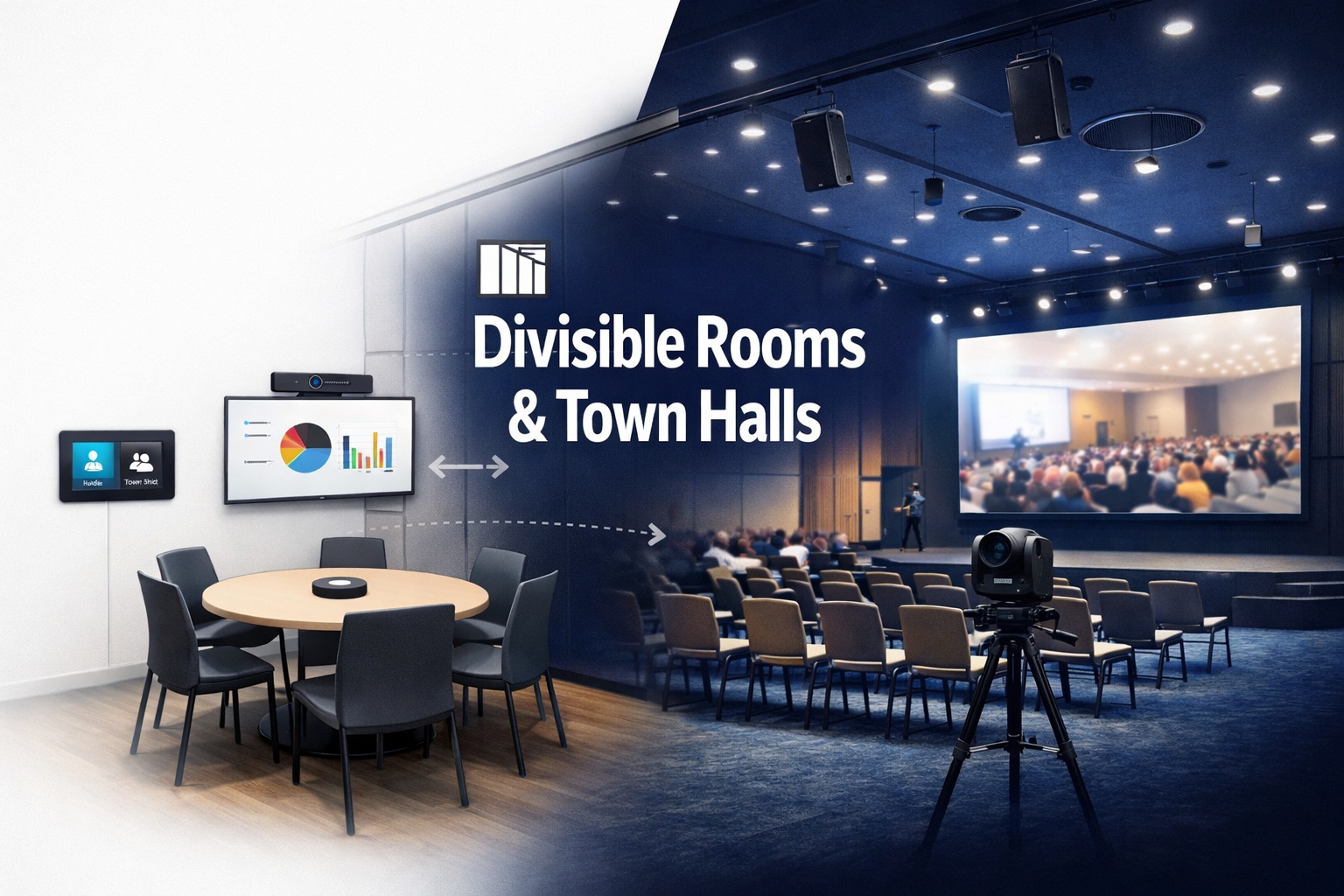
I’ll never forget walking into a hotel ballroom that had been split into three separate breakout rooms with those accordion divider walls. Each section was trying to run its own presentation. The AV system was a disaster—microphones picking up sound from adjacent rooms, projectors aimed at walls that might not exist tomorrow, and a control system that had no idea the space was divided.
That’s the challenge with flexible spaces. A room that’s one giant town hall on Monday becomes three separate meeting rooms on Tuesday. Your AV system needs to work flawlessly in both configurations—and every configuration in between.
If you’re dealing with divisible conference rooms, ballrooms, community centers, or town hall spaces that need to adapt to different uses, your AV strategy requires serious planning. These aren’t standard conference rooms where you set things up once and forget about them. They’re complex environments that change constantly.
Let me walk you through what actually works when you’re designing AV for spaces that won’t stay the same shape two days in a row.
Understanding the Flexibility Challenge
Flexible spaces create problems that static rooms never face.
Configuration changes happen constantly. Today it’s one large room for 200 people. Tomorrow it’s two medium rooms for 50 each. Next week it’s three small rooms for 20 each. Your AV needs to work perfectly in every scenario.
Audio zones must adapt. When the room is divided, you can’t have sound bleeding between sections. When it’s open, you need even coverage across the entire space. The same speaker system has to handle both situations.
Video displays face similar challenges. Is this one presentation across the whole space or three separate presentations in divided sections? Do you need video walls, projectors, or individual displays? Where do you put them so they work in all configurations?
Control systems need intelligence. Someone shouldn’t need an engineering degree to reconfigure the AV when walls move. The system should understand the room’s current configuration and adapt automatically—or at least make manual adaptation simple.
For organizations building out these adaptive environments, working with specialists in divisible room technology ensures the AV strategy accounts for all the configurations you’ll actually use.
Microphone Strategy for Divisible Spaces
Audio is the trickiest part of divisible room design. Get it wrong and you’ll have constant complaints about sound quality and bleed-through.
Ceiling microphone arrays work well because they’re permanently installed and don’t move when room configuration changes. But placement requires careful planning. You need coverage for the entire space when open, but you also need the ability to activate only the mics in specific zones when divided.
The key is mic zoning. Install arrays with the room divisions in mind. If your room divides into thirds, install microphone arrays in three distinct zones that align with those divisions. Each zone should provide complete coverage of its section.
Modern beamforming arrays can be configured to ignore audio from specific directions. When the room is divided, you configure mics in Section A to reject audio from Sections B and C. This dramatically reduces bleed-through between rooms.
Table microphones offer flexibility but create furniture challenges. Where do tables go in different configurations? If you hardwire table mics, they’re only useful when tables are in specific positions. Wireless mics solve this but add battery management and potential interference issues.
Boundary microphones on divider walls are risky. The walls move, making permanent installation impractical. If you go this route, use wireless boundary mics that can be positioned as needed rather than hardwired units.
Quantity matters. You need enough mics to cover the entire space when open, which might be 6-10 arrays for a large ballroom. That’s expensive, but it’s the only way to ensure good coverage in all configurations.
Getting professional sound calibration for each major room configuration ensures audio performs consistently whether the space is open or divided.
Speaker Placement and Audio Zoning
Your speaker system faces the same challenges as microphones—it must work whether the space is unified or divided.
Distributed speaker systems are the standard approach. Instead of a few large speakers, you install many smaller speakers throughout the ceiling. This creates even coverage and allows for zone control.
Speaker zones should align with room divisions. If the space divides into three sections, you need three distinct speaker zones. Each zone should provide complete audio coverage of its section with minimal bleed into adjacent areas.
Volume control per zone is essential. When divided, each section might need different volume levels. Your control system should allow independent control of each zone without affecting others.
Directional speakers help minimize bleed-through. Modern ceiling speakers can focus sound downward rather than spreading it equally in all directions. This keeps audio contained within each divided section.
Subwoofers present unique challenges. Bass frequencies travel through walls easily, so isolated subwoofers in divided sections will affect adjacent rooms. Solutions include:
- Centralized subwoofers that turn off when the room is divided
- Smaller, lower-output subs in each zone that provide bass without overwhelming adjacent spaces
- Accepting that divided sections won’t have the same bass response as the unified room
Line arrays work for town hall configurations where everyone faces one direction, but they’re problematic for divisible spaces. They’re directional and powerful—great for the unified room, terrible when divided because they can’t be easily zoned.
Video Display Strategies
Video in flexible spaces requires thinking about sight lines and content distribution across multiple configurations.
Projectors vs flat panels is the first decision. Projectors offer large images but require mounting positions that work in all configurations. Screens must be positioned where they’re visible regardless of room division.
Projection screens can be motorized to descend only when needed. When the room is divided, only the screens in active sections deploy. This prevents huge blank screens dominating unused areas.
LED video walls offer incredible flexibility. They’re modular, bright in any lighting, and visible from wide angles. A large video wall can display one image for the unified room or be split into separate zones for divided configurations. The downside? Cost. Video walls are expensive—figure $50,000+ for a sizable installation.
Multiple displays give you more options but increase complexity. Three large displays positioned for each potential room section provide clear visibility in all configurations. But you need a video distribution system that can route content appropriately.
Placement considerations: displays should be positioned at the front of each potential room configuration. If your space divides into three sections, each section needs a display positioned where it’ll be visible as the “front” of that room.
For spaces where visual impact matters—corporate town halls, educational settings, high-end venues—investing in video wall installation provides a centerpiece display that adapts to any room configuration.
Cameras for Hybrid Meetings
If your flexible space hosts hybrid meetings with remote participants, camera strategy gets complicated fast.
PTZ cameras (pan-tilt-zoom) offer flexibility through movement. Position them strategically and they can serve different room configurations by panning to focus on active areas. A ceiling-mounted PTZ at each potential room section covers you for all configurations.
Fixed cameras are simpler but less adaptable. You need cameras positioned to cover each potential configuration. For a room that divides into three, you need three cameras minimum—one positioned for each section.
Auto-tracking cameras that follow speakers work great for single-room configurations. When divided, you need separate tracking systems for each section, or speakers will be out of frame when the camera tries to track across sections.
Quantity and positioning: for a divisible room, plan on one good camera per potential room section. A space that can be one large room or three small ones needs at least three cameras total, positioned so each can serve as the primary camera for its section.
Zoom capabilities matter more in flexible spaces. Cameras need enough zoom range to capture appropriate framing whether the room is 100 feet deep or 30 feet deep after division.
When planning systems for town hall events with remote audiences, camera coverage must account for both the full-room assembly and any breakout configurations you’ll use.
Lighting Design for Changing Configurations
Lighting seems simple but creates challenges in spaces that reconfigure constantly.
Zoned lighting control is non-negotiable. Each potential room section needs independent lighting control. When the space divides, each section should be able to adjust lighting without affecting adjacent rooms.
Dimming capabilities matter for presentation flexibility. Some sections might need lights down for projection while others need full brightness for note-taking or collaboration.
Natural light management becomes complex when divisions aren’t aligned with windows. Section A might have huge windows while Section B has none. Window treatments need zoning that works with your room divisions.
Scene programming helps tremendously. Pre-program lighting scenes for common configurations: “Full Room Presentation,” “Three Divided Sections – Presentation,” “Three Divided Sections – Meeting,” etc. This makes transitions easy.
Color temperature consistency across zones prevents one divided section from feeling completely different from adjacent ones. Use the same fixtures and color temperature throughout.
Control System Architecture
Here’s where flexibility lives or dies—your control system must make reconfiguration easy and reliable.
Preset configurations are essential. Program every room configuration you’ll use: full room, two-way split, three-way split, plus variations for presentation vs collaboration in each.
Walking into the room and selecting “Configuration: Three Rooms – Presentation” should activate the correct mic zones, speaker zones, displays, cameras, and lighting for that setup. No manual adjustment needed.
Wall-mounted panels at room entrances let users select configurations easily. Touchscreens with clear visual representations of room layouts make selection intuitive even for non-technical users.
Automatic detection of divider wall position is the gold standard. Sensors detect whether walls are open or closed and automatically reconfigure the AV system. This eliminates user error but adds significant cost and complexity.
Override capabilities let advanced users make manual adjustments when presets don’t match their exact needs. But defaults should work for 90% of uses.
Network integration with room scheduling systems means the AV can automatically configure based on calendar entries. If the system knows three separate meetings are booked in divided sections, it can preconfigure appropriately.
For anyone implementing systems across multiple flexible spaces, choosing the right conferencing platform affects how control systems need to interact with video conferencing equipment.
Cable Management for Moving Walls
Here’s a detail that trips up a lot of installations: divider walls move, but cables typically don’t.
Ceiling-based systems avoid the problem. When all your AV equipment—speakers, mics, cameras, displays—is ceiling-mounted or hanging from the ceiling, moving walls don’t affect cabling.
Floor boxes in strategic locations provide power and connectivity that works in multiple configurations. Position them where tables are likely to be regardless of room division.
Conduit runs should anticipate all room configurations. Plan cable pathways that work whether walls are open or closed. This often means running more conduit than you’d need for a static room.
Wireless video eliminates some cabling challenges. Presenters can connect wirelessly from anywhere in the room without worrying about cable drops. But wireless introduces latency and reliability concerns.
Mobile equipment racks on wheels work for some applications. When the room reconfigures, you wheel equipment to appropriate positions. This is practical for smaller spaces but impractical for large ballrooms.
For permanent installations in high-use facilities, getting professional AV cabling and infrastructure designed for flexibility prevents having to redo everything when you discover your cable runs don’t work in certain configurations.
DSP and Audio Processing
Digital Signal Processors (DSP) are the brain of your audio system in flexible spaces.
Zone-based processing lets you create distinct audio environments for each potential room section. Each zone gets its own:
- Microphone inputs
- Speaker outputs
- EQ settings
- Feedback suppression
- Noise gating
- Volume control
Preset recall means you can save and recall complete DSP configurations for different room setups. Switch from “one large room” to “three small rooms” and the DSP reconfigures all audio processing automatically.
Feedback management becomes more complex when room acoustics change based on configuration. A DSP that’s tuned for the full open room might feedback when the space is divided and acoustics change. Good DSP systems can store different feedback suppression settings for each configuration.
Dante or AVB networking for audio distribution gives you incredible routing flexibility. Audio can be routed to any speaker from any source based on room configuration, all controlled through software.
Echo cancellation zones prevent audio bleed in divided configurations. When Section A has a video conference, its echo cancellation processing should only reference its own audio, not bleed-through from Section B.
Video Distribution and Routing
Getting video content to the right displays in the right configurations requires planning.
Matrix switchers let you route any video source to any display. When the room is unified, all displays show the same content. When divided, each section gets its own content from its own sources.
HDMI over IP offers even more flexibility. Every source and every display connects to the network, and software controls routing. This scales easily and provides nearly unlimited flexibility.
Wireless presentation simplifies source management. Users can present from any device to any display without physical connections. When integrated with room configuration control, the system can limit which displays each section can access.
Source inputs need to be strategically placed. Each potential room section should have multiple input options—HDMI at the presenter position, USB for laptops, wireless connectivity, etc.
Display management means being able to independently control displays in each section. When divided, you don’t want users in Section A accidentally controlling displays in Section B.
Acoustical Treatment Challenges
Room acoustics change dramatically when you divide a large space into smaller sections.
Divider walls are terrible acoustic barriers. Standard operable walls provide 40-55 dB of sound isolation at best. That’s enough to make adjacent rooms usable but not enough for truly isolated environments.
Acoustic panels should be installed with all configurations in mind. The full room might need absorption at specific locations to control echo, while divided sections might need different treatment.
Ceiling treatments help in all configurations. Acoustic ceiling tiles or baffles reduce reverb whether the space is open or divided.
Floor treatments make a bigger difference than people realize. Carpet dampens sound better than hard floors. In spaces with hard floors, large area rugs in each potential section help control acoustics.
White noise systems can mask sound bleed between divided sections. Speakers in the ceiling play carefully tuned white noise that makes bleed-through less noticeable without being obtrusive itself.
Don’t expect perfect acoustic isolation in divisible spaces. Set realistic expectations—adjacent sections will hear each other faintly, especially during loud moments.
Town Hall Specific Considerations
Town halls have unique requirements that differ from standard divisible rooms.
Audience audio becomes critical. You need mics positioned throughout the audience area for Q&A sessions. Wireless handheld mics work but require staff to run them around. Ceiling arrays can pick up audience questions if positioned correctly.
Stage area requirements include dedicated mics, monitors, presenter displays, confidence monitors, and podium controls. This area needs to function as a complete presentation environment.
Recording and streaming are common requirements. Good camera coverage of both the stage and audience, proper audio feeds for recording, and network infrastructure to support streaming to overflow rooms or remote viewers.
Overflow room support might be necessary. If your town hall fills beyond capacity, you need video and audio feeds to adjacent spaces. Your AV system should include distribution to multiple rooms.
Preset speaker timers and moderator controls help manage events. The control system can show countdown timers, provide visual cues, and give the moderator control over mics and displays.
For facilities hosting regular large-scale meetings, understanding what makes town hall AV systems effective prevents investing in capabilities you won’t use or missing features you desperately need.
Training and Documentation
The best AV system in the world is useless if nobody knows how to use it.
User interfaces must be intuitive. Complex control systems with dozens of options confuse users. Simple touchpanels with clear graphics and minimal options work better.
Quick start guides posted in the room help users configure things correctly. Laminated cards showing “How to set up for three divided rooms” with step-by-step instructions and pictures.
Staff training is essential. Facilities staff should know how to reconfigure the system, troubleshoot common issues, and help users when they’re confused.
Video tutorials stored in the room control system let users watch setup demonstrations right from the touchpanel. This is more effective than written instructions for many people.
Technical documentation for AV support staff should include wiring diagrams, equipment specs, configuration details, and troubleshooting guides. When something breaks at 9 PM before a big event tomorrow, good documentation is invaluable.
Maintenance and Support Considerations
Flexible spaces see heavy use and constant reconfiguration. They require more maintenance than static rooms.
Regular testing of all configurations ensures everything works before you need it. Monthly tests of each major room configuration catch issues before they impact events.
Preventive maintenance on moving parts—motorized screens, PTZ cameras, wall-mounted panels—prevents failures during events.
Spare equipment for critical components means you can swap in replacements quickly when failures occur. A spare projector, spare wireless mics, spare control processor—all insurance against downtime.
Remote monitoring lets support staff see system status and troubleshoot issues without being physically present. Modern control systems can send alerts when problems occur.
Support contracts with integrators or manufacturers provide access to expertise when you need it. Complex divisible room systems aren’t something most facilities staff can fully support alone.
Budget Considerations
Flexible space AV costs significantly more than static room AV due to complexity.
Baseline costs for a divisible ballroom that seats 200-300 might include:
- Audio system: $30,000-60,000
- Video displays: $20,000-100,000 (huge range based on technology)
- Cameras: $10,000-25,000
- Control system: $15,000-40,000
- Cabling and infrastructure: $20,000-50,000
- Installation labor: $25,000-75,000
Total budget for quality divisible room AV: $120,000-350,000+ depending on room size, features, and finishes.
That’s not cheap. But it’s the cost of flexibility. A static conference room of similar size might cost 40-60% less because you don’t need zoning, multiple configurations, or the additional equipment flexibility requires.
Phased implementation is possible. Start with basic audio zoning and displays, add video conferencing later, upgrade to video walls later still. This spreads costs over time.
ROI calculation should account for the revenue or utility gained from flexible use. A room that can be one ballroom or three conference rooms might eliminate the need for additional dedicated conference space.
Common Mistakes to Avoid
I’ve seen enough failed divisible room installations to recognize patterns:
Under-investing in audio zoning. Trying to save money by using minimal mic and speaker zones, then discovering sound bleed makes divided sections unusable.
Ignoring room acoustics. Treating it like a static space and being surprised when acoustics change dramatically based on configuration.
Overly complex control systems that require an engineer to operate. Flexibility shouldn’t mean complexity for end users.
Poor camera positioning that works for one configuration but fails miserably in others.
Insufficient testing of all configurations before go-live. Discovering problems during your first real event is too late.
Inadequate training. Assuming users will figure it out, then dealing with constant support calls and event failures.
Skimping on infrastructure. Trying to retrofit AV into a space without proper conduit, power, or network infrastructure.
Integration with Other Systems
Flexible space AV doesn’t exist in isolation.
Room scheduling systems should integrate with AV control. The calendar knows the room is divided into three sections for three different meetings—the AV should configure automatically.
Building automation for lighting, HVAC, and security can coordinate with AV systems. When the room reconfigures, lighting zones adjust, HVAC zones adapt, and security access points update.
Digital signage at room entrances should reflect current configuration. Displays show which sections are in use, what’s happening in each, and how to access AV controls.
Event management platforms might need to push information to displays or receive status information from AV systems.
For organizations implementing these complex integrations alongside conferencing technology, choosing between Zoom rooms, Microsoft Teams environments, or Google Meet installations affects which features and integrations are possible.
Future-Proofing Flexible Spaces
Technology changes. Design your system to adapt.
Over-provision infrastructure. Run more conduit than you need. Install more network drops than currently required. Build capacity for growth.
Modular equipment selection means you can swap components without redesigning the entire system. Standard mounting systems, common control protocols, and industry-standard connections all help.
Software-based flexibility beats hardware-based flexibility. Systems that can be reconfigured through software updates are more adaptable than those requiring physical changes.
Network-based AV (Dante audio, HDMI over IP, etc.) provides more flexibility for future changes than hardwired analog systems.
Documentation and training ensure that future staff or integrators can understand and modify your system years from now.
Making It Work
Divisible rooms and town halls aren’t simple AV projects. They’re complex systems engineering challenges that require thinking through every possible use case and configuration.
The key is accepting that complexity upfront and building systems that hide that complexity from end users. Behind the scenes, you’ve got zones, routing, presets, and sophisticated control. In front of users, you’ve got a touchpanel with three buttons: “Full Room,” “Two Sections,” “Three Sections.”
Don’t cut corners on planning and design. A divisible room that doesn’t work in all its configurations is a failed investment. Pay for proper design, quality equipment, professional installation, and thorough testing.
And remember that these spaces will be used in ways you didn’t anticipate. Build in flexibility beyond your current known requirements. That extra camera, those additional mic zones, the oversized video matrix—they’ll all get used eventually.
Flexible spaces done right are incredibly valuable assets. They maximize facility utilization, accommodate different event types, and adapt to changing needs over years of use.
Flexible spaces done wrong are expensive problems that frustrate users and limit what you can accomplish.
The difference comes down to understanding the challenges, planning appropriately, and investing in solutions that actually work across all the configurations you need.
That’s what separates functional flexible spaces from expensive mistakes.