
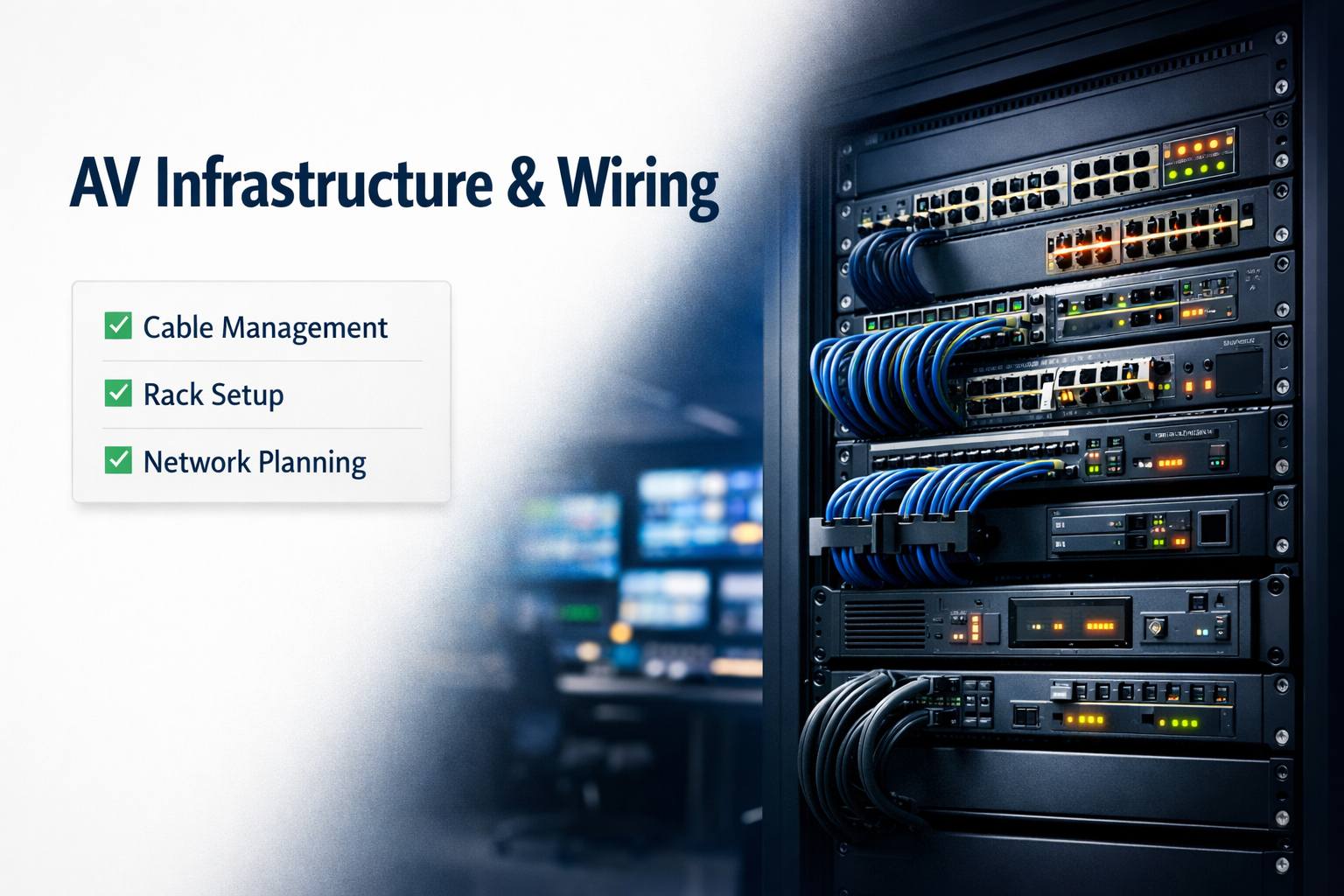
You’ve spec’d out the perfect conference room. Great cameras, premium microphones, quality displays. Everything arrives, gets installed, and… it looks terrible. Cables everywhere. Equipment scattered across the table. Network connectivity is flaky.
Here’s what most people don’t realize until it’s too late: infrastructure is the foundation of any AV system. You can have the best equipment in the world, but if the wiring is a mess, the network is unreliable, or cables are exposed and vulnerable, your expensive system will underperform and look unprofessional.
I’ve seen $100,000 boardrooms undermined by terrible cable management and $20,000 conference rooms that look and work beautifully because someone took infrastructure seriously. The difference isn’t the equipment budget—it’s understanding that what’s behind the walls and inside the racks matters as much as what’s visible.
This guide covers exactly how to build proper AV infrastructure—cable management strategies, equipment rack design, network architecture, cable types and runs, and the planning that separates professional installations from amateur disasters.
Let’s build infrastructure that supports great AV instead of sabotaging it.
Understanding AV Infrastructure Layers
Before running any cables, understand what you’re building.
The Three Infrastructure Layers
Physical layer: Actual cables, conduits, wall plates, equipment racks. The stuff you can touch.
Network layer: How devices communicate—switches, VLANs, IP addressing, bandwidth allocation.
Management layer: How you access, control, and troubleshoot the system remotely.
All three matter: Nail the physical but mess up network configuration? System fails. Perfect network but sloppy cable management? Looks terrible and maintenance is a nightmare.
Planning Before Installing
Common mistake: Buying equipment first, then figuring out wiring.
Better approach: Design infrastructure first. Where are devices? How do they connect? What’s the cable path? Then buy equipment that fits the plan.
Saves money: Knowing infrastructure needs upfront prevents buying wrong equipment or discovering you need additional components mid-project.
Cable Types and Selection
Not all cables are created equal. Choose wrong and performance suffers.
HDMI Cables
For what: Video signals from sources to displays, from displays to video conference codecs.
Standard HDMI: Up to 50 feet for 1080p. Passive cables work fine.
Long runs (over 50 feet): Active HDMI cables or HDBaseT (HDMI over Cat6).
4K considerations: Premium High Speed HDMI cables for 4K60. Ultra High Speed for 4K120 and 8K.
Common mistake: Cheap HDMI cables on long runs. They work initially then fail intermittently. Buy quality cables rated for the distance.
Cat6/Cat6a Ethernet
For what: Network connections, PoE devices, HDBaseT transmission.
Cat6: Gigabit to 55 meters, adequate for most conference rooms.
Cat6a: 10 Gigabit to 100 meters, better shielding. Use for new installations.
Why it matters: Future-proofs infrastructure. Slightly more expensive now, way cheaper than re-cabling later.
Termination quality: Poorly terminated cables cause intermittent issues. Use proper tools and test every run.
Audio Cables
XLR balanced audio: Professional microphones, long runs without interference.
3.5mm/RCA: Consumer audio, short runs only. Not for professional installs.
Speaker wire: 16-gauge for short runs, 14 or 12-gauge for longer distances or higher power.
Shielding: Use shielded cables near power lines to prevent interference.
Power Cables
Standard power: 14-3 or 12-3 for general outlets.
Dedicated circuits: High-power equipment (amplifiers, projectors) need dedicated circuits.
Code compliance: Electrical work must meet local codes. Hire licensed electrician.
Cable Ratings for In-Wall Installation
CL2/CL3 rated: Required for in-wall installation. Regular cables aren’t fire-safe for walls.
Plenum rated: Required in air-handling spaces (above drop ceilings often). More expensive but necessary for code compliance.
Don’t cheap out: Non-rated cable in walls creates fire hazards and code violations.
For professional installation meeting all requirements, proper cable selection and rating compliance is non-negotiable.
Cable Management Strategies
The difference between professional and amateur is visible cable management.
In-Wall Cable Runs
Best practice: Run cables through walls whenever possible. Clean, professional, permanent.
Process:
- Plan cable paths avoiding electrical, plumbing, HVAC
- Cut access holes at start and end points
- Fish cables through walls using fish tape or rods
- Install wall plates at termination points
- Patch and paint access holes
Challenges: Insulation, fire blocks, existing utilities in walls. Sometimes impossible without major construction.
Conduit Installation
When to use: Exposed cable runs, future expansion needs, code requirements.
Types:
- EMT (metal): Durable, professional, required in some commercial applications
- PVC: Easier to work with, adequate for most uses
- Flexible conduit: For short runs with bends
Sizing: Use conduit 40% larger than current cable bundle. Allows adding cables later without re-running conduit.
Aesthetics: Paint conduit to match walls or ceiling. Blend in rather than stand out.
Cable Trays and Raceways
Above ceiling: Cable trays support multiple cable bundles. Organized and accessible.
Surface mount: Raceways along walls/baseboards when in-wall isn’t feasible. Not as clean but better than exposed cables.
Best practices:
- Separate power from data cables by 12+ inches
- Use wire ties, not tape
- Leave service loops for future changes
- Label everything
Behind Equipment Cable Management
The problem: Equipment rack backs are often cable nightmares.
Solutions:
- Vertical cable managers on rack sides
- Horizontal managers between devices
- Velcro ties (not zip ties—need to add/remove cables)
- Cable combs for neat bundles
- Color coding by signal type
Accessibility: You’ll need to trace cables for troubleshooting. Organized cables save hours during problems.
Wall Plates and Connections
Quality matters: Cheap wall plates fail. Keystone jacks loosen. Connections degrade.
Professional approach:
- Brushed metal or quality plastic plates
- Proper keystone jack termination
- Labels indicating what each port connects to
- Recessed boxes where possible (flush with wall)
Testing: Test every connection. Bad termination causes intermittent issues that are hell to troubleshoot later.
Equipment Rack Design
Conference rooms need equipment racks. Design them properly.
Rack Sizing
Standard width: 19 inches (rack unit standard).
Height: Measured in “U” (rack units, 1.75 inches each). Common sizes: 8U, 12U, 20U, 42U.
Depth: 12-24 inches typical for AV equipment. Deeper for IT equipment.
Choosing size: Count equipment rack units needed, add 20% for future expansion, add space for cable management.
Rack Mounting Equipment
Proper mounting:
- Heavier equipment at bottom (stability)
- Most-accessed equipment at comfortable height
- Leave 1U between heat-generating devices (ventilation)
- Cable management panels between logical groups
Mounting hardware: Use proper rack screws and cage nuts. Tighten evenly. Cheap hardware strips easily.
Rack Ventilation
Heat kills electronics: Inadequate ventilation shortens equipment life.
Cooling strategies:
- Ventilated rack doors (perforated or mesh)
- Blank panels filling empty spaces (prevents hot air recirculation)
- Fans if rack has high heat load
- Temperature monitoring for critical installations
Placement: Don’t put racks in direct sunlight, near HVAC vents blowing hot air, or in unventilated closets.
Rack Power Distribution
Power strips aren’t enough: Use rack-mounted PDUs (Power Distribution Units).
Features to get:
- Surge protection
- Individual outlet switching
- Power monitoring
- Remote management (for enterprise)
Quantity: One PDU per side of rack, or vertical PDUs. Never daisy-chain power strips.
Dedicated circuits: Rack should have dedicated 20A circuit minimum. Large installations need multiple circuits.
Security and Access
Locking racks: For executive boardrooms and public-accessible areas.
Placement: In locked closet, equipment room, or secure location. Not where random people can access.
Cable access: Knockout panels or brush grommets for cables entering/exiting rack.
Network Infrastructure for AV
Modern AV runs on networks. Design network properly or performance suffers.
Network Bandwidth Planning
Per-device needs:
- 4K camera: 8-15 Mbps
- 1080p camera: 3-5 Mbps
- Wireless presentation: 20-50 Mbps
- Control systems: Minimal
- Digital signage: Varies widely
Calculate total: Add all devices, multiply by 1.5 for headroom.
Example: Conference room with two 4K cameras, wireless presentation, Teams Room compute = 60-80 Mbps minimum.
Understanding complete bandwidth requirements ensures network can handle actual loads.
Switch Selection
Gigabit minimum: 100Mbps switches are obsolete for modern AV.
Managed vs unmanaged:
- Unmanaged: Plug and play, no configuration. Fine for tiny installations.
- Managed: VLANs, QoS, monitoring. Required for professional systems.
PoE requirements: Many devices need Power over Ethernet. Ensure switch supports PoE+ (25W per port minimum).
Port count: Current needs + 30% for expansion.
VLANs for AV
Why VLAN segregation matters: Isolates AV traffic from general network traffic. Improves performance and security.
Typical VLAN structure:
- VLAN 10: Conference room control systems
- VLAN 20: Video conference codecs/cameras
- VLAN 30: Digital signage
- VLAN 40: User devices
Configuration: Requires managed switches and proper router/firewall setup. Not DIY-friendly—get professional help.
Quality of Service (QoS)
What it does: Prioritizes AV traffic over other network traffic during congestion.
Essential for: Video conferencing, VoIP, real-time applications.
Configuration:
- Identify traffic types (by port, by DSCP marking, by VLAN)
- Assign priority levels
- Configure queuing on switches
Impact: Prevents Zoom calls from freezing when someone’s downloading files.
Network Redundancy
Single point of failure: One switch dies, entire AV system dies.
Redundancy strategies:
- Dual switches with link aggregation
- Dual network paths to critical devices
- Backup internet connection for cloud-based systems
When worth it: Critical applications (trading floors, emergency operations, enterprise video conferencing).
Cost: Doubles network infrastructure costs. Overkill for typical conference rooms.
Cable Labeling and Documentation
Future you will curse past you if you skip this.
Labeling Standards
Both ends: Label at equipment end and wall plate end.
Label content:
- Room identifier
- Device name
- Port number
- Date installed
Example: “CR-101-CAM1-ETH1” = Conference Room 101, Camera 1, Ethernet port 1.
Label makers: Brother P-Touch or similar. Handwritten labels fade and become illegible.
Cable Color Coding
Consistency matters: Pick color scheme and stick with it across facility.
Common scheme:
- Blue: Video/AV signals
- Yellow: Network/data
- Red: Power
- Green: Audio
- White: Control signals
Or: Use same color within equipment type, different colors between types.
Documentation Requirements
Minimum documentation:
- Cable schedule (from/to, cable type, length)
- Rack elevation drawing (what equipment in which position)
- Network diagram (switches, VLANs, IP addressing)
- Port assignments
Format: Digital (PDF) plus physical binder in equipment room.
Updates: Modify documentation when changes occur. Outdated documentation is worse than none.
Installation Best Practices
The difference between good and great installations.
Cable Run Techniques
Avoid sharp bends: Minimum bend radius varies by cable type. Exceeding damages cables.
Support properly: Cable ties every 3-4 feet for vertical runs. J-hooks or cable trays for horizontal.
Separate power from data: Minimum 12 inches separation. Crossing at 90-degree angles if unavoidable.
Service loops: Leave 3-6 feet slack at each end for future modifications or repairs.
Testing after installation: Test every cable run before closing walls or ceilings.
Grounding and Shielding
Proper grounding: Prevents ground loops (60Hz hum in audio).
Single point ground: All equipment grounded to same point. Multiple grounds create loops.
Shielded cables: Ground shield at one end only (usually source). Both ends creates ground loop.
Audio isolation transformers: Break ground loops when unavoidable.
Accessibility for Maintenance
Design for the future: Someone will need to troubleshoot, upgrade, or repair.
Access considerations:
- Rack equipment accessible from front
- Cable connections accessible from back
- Ceiling tiles removable in cable pathways
- Labeled access panels where needed
Don’t: Run cables where they can’t be accessed without demolition.
Common Infrastructure Mistakes
Learn from others’ expensive errors.
Mistake 1: Inadequate Network Capacity
Problem: Installing gigabit switches in 2024 when 4K video is pushing bandwidth limits.
Fix: Install 2.5G or 10G infrastructure. Future-proofs for 8K, higher frame rates, more devices.
Mistake 2: No Cable Management
Problem: Rats nest of cables behind racks, under tables, in ceilings.
Fix: Budget time and materials for proper cable management. It’s not optional.
Mistake 3: Cheap Cables on Long Runs
Problem: $5 HDMI cable on 40-foot run works initially, fails intermittently.
Fix: Quality cables rated for distance. Test before closing walls.
Mistake 4: Forgetting Power Requirements
Problem: Equipment arrives, nowhere to plug it in. Outlets maxed out.
Fix: Power planning during design phase. Dedicated circuits for AV equipment.
Mistake 5: No Documentation
Problem: Two years later nobody knows what cables go where or how system is configured.
Fix: Create documentation during installation. Update when changes occur.
For professional conference system installations, proper infrastructure planning prevents these mistakes from happening.
Mistake 6: Ignoring Future Expansion
Problem: System works now but can’t add cameras or displays later without re-doing wiring.
Fix: Run extra cables, install larger conduits, leave rack space. Easier during initial install.
Professional vs DIY Infrastructure
When to hire pros versus doing it yourself.
DIY-Appropriate Infrastructure
Small single-room systems: Running 2-3 cables, simple rack installation, basic network.
Skills required: Basic tools, patience, following instructions.
Time investment: Weekend project for small room.
Savings: $500-$1,500 in labor costs.
Professional-Required Infrastructure
Multi-room systems: Coordinating infrastructure across multiple spaces.
Complex networking: VLANs, QoS, proper switch configuration.
Code compliance: Electrical work, plenum spaces, commercial buildings.
Large scale: More than 20 cable runs, multiple racks, integration with building systems.
Value: Professionals bring experience, proper tools, code knowledge, and warranty on work.
Expert installation services ensure infrastructure is done right the first time—cheaper than fixing DIY mistakes.
Infrastructure for Different Room Types
Different spaces have different infrastructure needs.
Small Huddle Rooms
Minimal infrastructure: Single network drop, in-room power, simple cable management.
Equipment: All-in-one video bar, wall-mounted display, table-mounted controller.
Network: Single gigabit port adequate.
Cost: $200-500 for infrastructure (assuming power exists).
Understanding compact room requirements helps right-size infrastructure investment.
Medium Conference Rooms
Moderate infrastructure: Multiple network drops, equipment rack, managed power, proper cable management.
Equipment: Separate camera, mics, speakers, codec, displays.
Network: Multiple gigabit ports, managed switch if multiple rooms.
Cost: $1,000-$3,000 for infrastructure.
Large Boardrooms
Extensive infrastructure: Dedicated network closet, full rack, cable management system, possibly separate control room.
Equipment: Multiple cameras, ceiling mics, speaker arrays, video walls, control systems.
Network: 10G infrastructure, VLANs, QoS, redundancy.
Cost: $5,000-$15,000+ for infrastructure alone.
Multi-Purpose Spaces
Flexible infrastructure: Systems that support different room configurations.
Challenges: Cable runs to movable partitions, power in floor boxes, flexible networking.
Solutions: Overhead cable management systems, retractable cables, strategic fixed infrastructure points.
The Infrastructure Investment
Is proper infrastructure worth the cost?
Initial Cost Reality
Infrastructure adds 20-40% to equipment costs: $20,000 in equipment might need $5,000-$8,000 in infrastructure.
Budget shock: People budget for equipment, then discover infrastructure costs.
Plan ahead: Include infrastructure in initial budgets. Prevents surprises.
Long-Term Value
Reliability: Proper infrastructure means fewer failures and service calls.
Maintenance: Well-organized systems are cheaper to maintain and troubleshoot.
Upgrades: Good infrastructure makes equipment upgrades easier and cheaper.
Lifespan: Infrastructure lasts 15-20 years. Equipment replaced every 5-7. Invest in infrastructure.
ROI Calculation
Reduced downtime: Reliable systems prevent meeting delays and cancellations.
Lower maintenance: Clean installations need less troubleshooting time.
Future-proofing: Proper infrastructure supports multiple equipment generations.
Professional appearance: Clean systems reflect well on organization.
The Bottom Line
AV infrastructure isn’t sexy. Nobody walks into a conference room and says “wow, look at that cable management!”
But infrastructure is the foundation everything else sits on. You can have the most expensive cameras and displays in the world—if the network is unreliable, cables are a mess, or power is inadequate, your system will underperform.
Invest in infrastructure. Plan cable runs properly. Install equipment racks correctly. Build adequate network capacity. Manage cables cleanly. Document everything.
The upfront cost feels painful. But operating a well-infrastructured system versus fighting a poorly-built one? Night and day difference.
Build infrastructure like it matters. Because it does.