
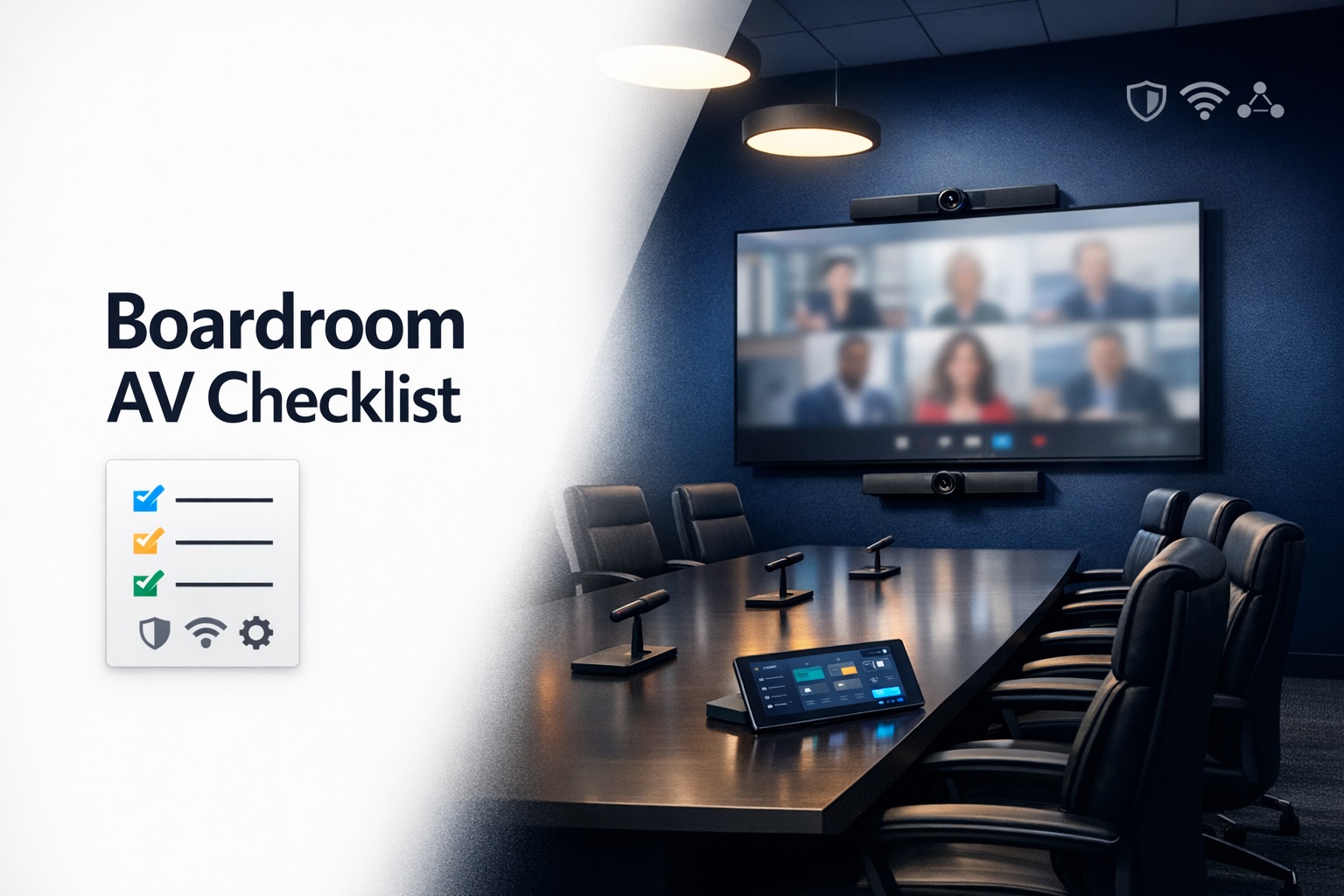
I’ve walked into too many newly renovated boardrooms where companies spent $200,000 on millwork, furniture, and finishes but treated the AV system as an afterthought. The result is always the same: executives struggling with technology during critical presentations, video conferences plagued by audio issues, and IT staff fielding frustrated calls because “nothing works the way it should.”
Here’s what nobody tells you during the excitement of planning a new executive boardroom: the AV system isn’t just another line item on the construction budget. It’s the central nervous system that determines whether your boardroom becomes a powerful tool for decision-making or an expensive room that people avoid because the technology never quite works right.
The boardroom is where your highest-stakes meetings happen. Board presentations, executive strategy sessions, investor pitches, major client negotiations—these moments cannot tolerate technical failures or second-rate experiences. When the CEO is presenting quarterly results to the board, or your team is pitching a critical prospect, the technology needs to disappear into the background, working flawlessly without anyone thinking about it.
After consulting on dozens of boardroom installations over the years, I’ve developed a comprehensive checklist that separates successful implementations from expensive disasters. This isn’t about having the most expensive equipment or the flashiest technology. It’s about understanding your actual needs, planning thoroughly before installation begins, and making informed decisions that deliver reliable performance for years to come.
Let’s walk through exactly what every executive boardroom needs, why it matters, and how to avoid the common mistakes that plague these high-profile installations.
Understanding Boardroom Requirements vs. Other Meeting Spaces
Before diving into specific equipment and technology, we need to acknowledge that boardrooms serve fundamentally different purposes than standard conference rooms or huddle spaces. These differences drive every decision in your AV planning.
Executive boardrooms typically accommodate 8-20 people in formal seating arrangements around large tables. Sessions run longer—often 2-4 hours versus 30-60 minutes in regular conference rooms. The content presented is more complex, with detailed financial data, strategic presentations, and multi-source video conferencing becoming standard. Perhaps most importantly, the people using these spaces have zero tolerance for technical difficulties and minimal patience for complicated systems.
The usage patterns matter enormously. Unlike huddle rooms with quick, informal collaboration, boardrooms host scheduled, high-stakes meetings where preparation time is limited and expectations are sky-high. You can’t have executives fumbling with controls or IT staff rushing in to troubleshoot during board presentations. Everything must work intuitively and reliably, every single time.
This means your AV planning cannot follow the same approach used for standard conference rooms. You need higher-quality equipment, more sophisticated integration, better acoustics, superior video conferencing capability, and most critically, more thoughtful design that accounts for every possible use case before installation begins.
Pre-Installation Assessment: Questions You Must Answer First
The biggest mistakes in boardroom AV happen during the planning phase, not the installation. Companies rush to select equipment without understanding their actual requirements. Then they’re stuck with a system that doesn’t meet their needs and can’t easily be modified because everything is built into walls and furniture.
Defining Your Primary Use Cases
Start by honestly assessing how the boardroom will actually be used. Will board meetings involve remote directors joining via video, requiring high-quality video conferencing? Do presentations primarily involve PowerPoint decks, or do you regularly share complex financial models, CAD drawings, or video content? How often will you connect to remote offices or clients? Will you host investor presentations, analyst calls, or media events in this space?
Different use cases drive dramatically different equipment decisions. A boardroom focused on internal strategic planning needs different capabilities than one regularly hosting client presentations or investor relations events. Understanding your primary use cases prevents expensive mistakes where you invest in capabilities you rarely use while lacking features you need constantly.
Stakeholder Input: Who Needs to Weigh In
Gather input from everyone who will use or support the boardroom. Executive assistants who schedule and prepare the room, IT staff who will support the technology, facilities teams responsible for maintenance, and most importantly, the executives who will actually use the space. Each perspective reveals requirements others might miss.
I’ve seen countless installations where the C-suite signed off on designs without consulting the EA who actually sets up for meetings. The result? Systems so complicated that preparing for a board meeting requires an IT specialist, defeating the purpose of having sophisticated technology in the first place.
Future-Proofing Considerations
Your boardroom should remain relevant for 7-10 years minimum. That’s a long time in technology terms, which means you need to build in flexibility and upgradeability from the beginning. Include infrastructure that supports technologies you might adopt later—conduit for future cable runs, sufficient power capacity for additional equipment, network bandwidth that exceeds current needs, and modular systems that allow component upgrades without complete replacement.
The cost difference between basic infrastructure and comprehensive future-ready infrastructure during construction is minimal. The cost of adding that infrastructure later is astronomical because it requires tearing into finished walls, ceilings, and furniture. Build it right the first time.
Display Technology: The Visual Foundation
Your display system creates the visual foundation for every boardroom activity. Get this wrong and nothing else matters. Get it right and you enable clear communication that drives effective decision-making.
Display Size and Configuration
For executive boardrooms, you’re typically choosing between a single large display (80-98 inches) or a video wall configuration with multiple panels. Single displays work well for boardrooms where everyone sits relatively close to the screen and viewing angles aren’t extreme. Video walls excel when the room is large, seating is spread out, or you need to display multiple content sources simultaneously.
Calculate appropriate display size based on viewing distance. The farthest seat from the display should be no more than 6-8 times the display height. For a 90-inch display (44 inches tall), the farthest viewer should sit within 22-35 feet. Beyond that distance, text becomes difficult to read and details get lost.
Resolution matters enormously for boardroom applications. 4K is the absolute minimum standard—anything less makes spreadsheets, financial reports, and detailed presentations difficult to read. Some installations now use 8K displays for extra-large screens where viewers sit relatively close and need to see fine details clearly.
Consider whether you need multiple display zones. Some boardrooms benefit from a main presentation display plus secondary screens showing video conference participants, supporting data, or room controls. This multi-screen approach prevents the constant switching between content and video that disrupts flow during hybrid meetings.
Display Mounting and Integration
Built-in displays integrated into millwork create the cleanest aesthetic and prevent the “TV mounted to wall” look that cheapens the space. However, built-in installations complicate future upgrades and maintenance. Consider motorized lifts that allow displays to hide when not in use, creating flexibility between display mode and traditional boardroom appearance.
Ensure mounting systems support the weight and size of your chosen displays with appropriate safety factors. Executive boardrooms cannot tolerate displays falling off walls. Use commercial-grade mounts rated for 2-3x the display weight, and ensure wall structures support the loads.
Video Conferencing: Making Remote Participants True Equals
In 2026, every serious boardroom must support high-quality video conferencing. Board members, executives, and key stakeholders increasingly join remotely, and the video conferencing experience directly impacts their engagement and participation. Poor video conferencing relegates remote participants to second-class status. Excellent video conferencing makes location irrelevant.
Camera Systems for Executive Spaces
Boardrooms require different camera approaches than smaller conference rooms. You’re capturing a wider field of view with more participants, often at greater distances from the camera. Basic webcam-style cameras produce terrible results—small faces, difficult to read expressions, and poor framing that makes the room feel empty even when full.
Professional PTZ (pan-tilt-zoom) cameras with auto-tracking follow the active speaker, providing close-up views that help remote participants read body language and stay engaged. The best systems track speakers automatically without manual control, zooming in on whoever is speaking and providing wide shots during silence or multiple simultaneous speakers.
Consider camera placement carefully. Mounting directly above or below the main display creates natural eye-line for remote participants—people looking at the screen appear to be looking at the camera. Cameras mounted high on walls or in corners create awkward angles where everyone looks down at the table rather than engaging with remote participants.
For large boardrooms, a single camera often can’t capture everyone adequately. Multi-camera systems provide different views—overview shots of the full table, close-ups of speakers, and specialty cameras for document sharing or whiteboard capture. Professional systems switch between camera angles automatically based on who’s speaking, creating a polished, broadcast-quality experience.
Whether you’re implementing a Zoom conference room setup, Microsoft Teams integration, Google Meet configuration, or Webex installation, camera quality and placement make or break the experience. Understanding the platform comparison helps inform these decisions.
Microphone Arrays: Capturing Every Voice Clearly
Microphone technology might be the single most important and most overlooked element of boardroom AV. Everyone can see poor video quality, but audio problems are more subtle initially—until the remote participant asks for the third time “can you repeat that?” or can’t understand critical discussion points because voices were muddy and indistinct.
Large boardroom tables require ceiling-mounted microphone arrays or table-mounted microphones positioned to capture everyone clearly. Ceiling microphones work beautifully in rooms with appropriate ceiling height (9-12 feet) and good acoustics. Table microphones provide more direct capture in rooms with challenging acoustics or very high ceilings.
The key specification is coverage area. Each microphone has an effective pickup pattern—typically 8-12 feet in diameter for quality units. Map your table layout and ensure microphone coverage extends to every seat. Dead zones where certain seats have poor microphone pickup create frustration and undermine the point of having sophisticated AV.
Beamforming microphone arrays use multiple elements and digital signal processing to focus on active speakers while rejecting background noise and reflections. This technology dramatically improves intelligibility, especially in acoustically challenging spaces. The result is remote participants who hear clear voices rather than the reverberant, echo-y mess that characterizes poorly designed boardroom audio.
Speaker Systems That Deliver Natural Sound
Your speaker system needs to reproduce remote participants’ voices clearly and naturally across the entire boardroom. Everyone should hear equally well regardless of seating position, and volume should be comfortable—loud enough to understand easily but not overwhelming.
Avoid the consumer soundbar approach. These devices work for small rooms but lack the output and coverage needed for large boardrooms. Professional speaker systems with multiple drivers positioned around the room create even coverage and natural sound reproduction.
In-ceiling speakers provide clean aesthetics without visible equipment cluttering walls. Properly designed distributed speaker systems place speakers strategically around the room, each covering a specific zone to create uniform sound throughout the space.
The golden rule: remote participants’ voices should sound like they’re in the room with you. Tinny, small, or unclear sound from cheap speakers undermines the entire point of video conferencing. Professional video conferencing equipment delivers the voice quality that makes location irrelevant.
Audio System Design: Beyond Video Conferencing
Video conferencing represents just one audio requirement. Executive boardrooms also need local sound reinforcement for presentations, multimedia playback for video content, microphones for recording board minutes, and flexible routing to support various configurations.
Presentation Audio
Presentations increasingly include video content—product demonstrations, customer testimonials, training modules, company updates. This multimedia content needs quality audio reproduction that does justice to the material. Your audio system should handle everything from casual YouTube clips to professionally produced corporate videos with full dynamic range and clear dialogue.
Connect audio sources flexibly—HDMI audio from connected laptops, streaming from tablets and phones via wireless casting, playback from room computers, and audio from video conferencing systems. The system should automatically route audio from the active source without manual switching or complicated setup.
Digital Signal Processing (DSP)
Professional audio systems use DSP to optimize sound for your specific room. Echo cancellation prevents feedback loops where speakers pick up microphones, creating howling or echo. Automatic gain control maintains consistent volume levels regardless of how loudly people speak. Noise reduction filters out background hum from HVAC systems or electrical interference. Acoustic equalization compensates for room acoustics, delivering natural frequency response.
These signal processing functions happen automatically in the background, invisible to users but absolutely critical for professional audio quality. Skipping DSP to save money results in audio that sounds amateurish and creates constant problems during video conferences. Professional lighting and sound calibration ensures optimal performance.
Control Systems: Making Complexity Disappear
Here’s the paradox of executive boardroom AV: the systems are incredibly complex behind the scenes but must appear simple and intuitive to users. Executives shouldn’t need training manuals or IT support to start a presentation or video conference. The control system bridges this gap, hiding complexity behind simple, logical interfaces.
Control Interface Options
Modern control systems offer multiple interface options—wall-mounted touch panels provide dedicated control without requiring personal devices, wireless tablets offer portable control from anywhere in the room, and smartphone apps allow personal device control for tech-comfortable users. The best implementations provide redundant interfaces so technical failures of one interface don’t prevent room use.
Design control interfaces around workflows, not equipment. Users shouldn’t think “I need to turn on the projector, switch input 3 to the wireless presentation system, and raise the volume.” They should think “I’m presenting from my laptop” and press a single button that executes all necessary system changes automatically.
Create preset scenarios for common activities—”Board Meeting” preset powers on displays, connects to the scheduled video conference, adjusts lighting, and sets appropriate audio levels. “Local Presentation” preset enables laptop connection and raises window shades for screen visibility. “Break” preset pauses video conferences and adjusts lighting for comfort. One button press handles multiple system functions, reducing cognitive load and eliminating confusion.
Automation and Integration
Integrate your AV system with room scheduling, lighting control, HVAC systems, and motorized window treatments for truly seamless operation. When the CEO walks in for the scheduled board meeting, the room already knows what’s happening and configures itself appropriately—scheduled video conference loads automatically, lighting adjusts to presentation mode, temperature is comfortable, and shades are positioned correctly.
This level of integration requires planning during design, not as an afterthought during installation. Coordinate with all trades—AV, lighting, HVAC, motorized shades—early in the project to ensure systems can communicate and work together.
Network Infrastructure: The Backbone Everything Depends On
Every modern boardroom AV component relies on network connectivity—video conferencing systems, wireless presentation, control systems, displays, audio DSP, and more. Your network infrastructure determines whether these systems work reliably or create constant technical headaches.
Bandwidth and Reliability Requirements
Video conferencing consumes significant bandwidth, especially at the quality levels appropriate for executive boardrooms. 4K video streams require 15-25 Mbps per direction. Multi-camera setups and dual-stream presentations (video plus content) can easily require 50+ Mbps. Ensure your network connection to the boardroom supports these demands with headroom for growth.
Reliability matters more than raw bandwidth. A connection that delivers 90% of promised bandwidth with occasional dropouts creates unusable video conferences. You need consistent, reliable bandwidth without variation or interruption. This typically requires dedicated network infrastructure rather than sharing capacity with general office traffic.
Implement Quality of Service (QoS) prioritization to ensure video conferencing traffic receives priority over less time-sensitive data. When network congestion occurs, file transfers or software updates should slow down while video conferences maintain quality.
Wired vs. Wireless Connectivity
The rule for boardroom AV: wire everything that doesn’t move. Stationary equipment—displays, cameras, audio DSP, control systems—should use wired Ethernet connections for maximum reliability and performance. Wireless connectivity introduces variables you cannot fully control—interference, capacity limitations, authentication issues—that have no place in mission-critical executive spaces.
Reserve wireless connectivity for mobile devices—laptops, tablets, phones brought into the room for presentations. Even then, provide wired alternatives for critical presentations where wireless failure is unacceptable. Professional AV cable management keeps wired connections organized and invisible while maintaining reliable connectivity.
Lighting Design for Executive Presentations
Lighting serves dual purposes in executive boardrooms—creating appropriate ambiance for in-person meetings and ensuring excellent camera appearance for remote participants. These requirements often conflict, requiring thoughtful design that addresses both needs.
Balancing Ambient and Task Lighting
Boardrooms need layered lighting with independent control of different zones. General ambient lighting illuminates the room comfortably for note-taking and in-person collaboration. Task lighting highlights the presentation area and speakers. Accent lighting provides visual interest and dimensional quality without creating glare or hotspots.
Dimming capability is essential. Full brightness overwhelms during video presentations but appropriate for document review and detailed work. Preset lighting scenes for different activities—presentation mode dims room lights while maintaining face lighting for camera, meeting mode provides bright, even illumination throughout, and video conference mode balances screen visibility with good camera lighting.
Camera-Optimized Lighting
Remote participants judge your professionalism based partly on how your team appears on camera. Poor lighting creates unflattering shadows, makes people look tired or unprofessional, and undermines the impression you’re trying to make. This matters enormously during client presentations, investor relations calls, or board meetings with remote directors.
Front-fill lighting illuminates faces evenly without harsh shadows. LED panels with adjustable color temperature and intensity provide flattering, natural-looking illumination that cameras reproduce beautifully. Position these lights at or slightly above eye level, never directly overhead (which creates unflattering shadows under eyes and noses).
Avoid windows behind participants on camera. If windows are unavoidable, install blackout shades or automated window treatments that close during video conferences, preventing backlight that turns participants into dark silhouettes.
Acoustic Treatment: The Invisible Foundation
Acoustics make or break boardroom audio quality, yet they’re often completely ignored until after installation when problems become obvious. Hard surfaces—glass, wood, stone—reflect sound, creating echo and reverb that muddy speech intelligibility and create terrible audio for video conferences and recordings.
Strategic Acoustic Panel Placement
Executive boardrooms present unique acoustic challenges because design aesthetics often prioritize hard, reflective surfaces that look impressive but sound terrible. You need strategic acoustic treatment that controls reflections without compromising the room’s visual impact.
Fabric-wrapped acoustic panels integrate into millwork and wall surfaces, providing absorption that controls reverb while complementing the room’s design aesthetic. Position panels at first reflection points—the spots where sound from speakers bounces before reaching microphones or other seating positions.
Ceiling treatment is particularly impactful. Acoustic ceiling tiles or clouds above the table area prevent sound from bouncing off hard ceilings and creating reverberant echo. In boardrooms with decorative ceilings where acoustic tiles aren’t appropriate, suspended acoustic clouds provide absorption without covering the entire ceiling.
Addressing Glass and Hard Surfaces
Floor-to-ceiling glass walls create stunning visual appeal but represent acoustic nightmares. Glass reflects sound almost perfectly, creating strong echoes and extended reverb times. If your boardroom design includes significant glass, compensate with extra absorption on other surfaces or treat the glass itself with acoustic film that reduces reflections while maintaining transparency.
Large tables with hard surfaces also contribute to acoustic problems. Sound reflects off the table top, creating comb filtering and frequency response anomalies that color voices and reduce intelligibility. Table pads or acoustic treatment on the underside of table surfaces help control these reflections.
Content Sharing and Collaboration Technology
Modern boardroom collaboration involves more than one person presenting from the head of the table. Multiple participants need to share content from various devices, sometimes displaying multiple sources simultaneously. Your AV system must support these collaborative workflows seamlessly.
Wireless Presentation Systems
Wireless presentation systems eliminate the cable dance where presenters fumble with connections and adapters. Users connect from laptops, tablets, or smartphones wirelessly, displaying content with a few clicks or taps. The best systems support multiple simultaneous users, allowing easy switching between presenters without reconfiguring connections.
Ensure compatibility with all major operating systems and device types—Windows laptops, Macs, iPads, iPhones, Android devices. Your executives and board members use diverse devices, and the presentation system must accommodate all of them without special adapters or complicated setup.
Security matters for wireless presentation in executive boardrooms. Systems that simply broadcast an open wireless network create security vulnerabilities. Look for systems with authentication requirements, encrypted transmission, and network segmentation that isolates presentation traffic from sensitive corporate data.
Multi-Source Display Capability
Some board presentations benefit from showing multiple content sources simultaneously—financial dashboards alongside supporting presentations, video conferences beside relevant data, competitive comparisons displayed side-by-side. Your display system should support flexible multi-source layouts when needed.
Video wall configurations naturally support multiple sources by dedicating different panels to different content. Single large displays can use picture-in-picture or split-screen layouts, though these compromise visibility compared to dedicated display area for each source.
Professional Installation and Integration
Even perfect equipment specifications deliver poor results with substandard installation. Executive boardroom AV demands professional installation by experienced integrators who understand both the technical requirements and the high standards these spaces demand.
Working with Professional Integrators
Professional video conferencing specialists bring expertise that prevents expensive mistakes. They understand how different components integrate, can identify potential problems during design rather than after installation, and have experience with the specific requirements of executive spaces.
Look for integrators with relevant certifications—CTS (Certified Technology Specialist) from AVIXA, manufacturer certifications for the equipment they’re installing, and proven experience with executive boardroom installations. Ask for references from similar projects and visit completed installations to see their work firsthand.
Custom Design vs. Template Solutions
Template approaches that use standardized designs might work for basic conference rooms but fall short for executive boardrooms. These spaces have unique requirements based on room geometry, usage patterns, aesthetic requirements, and organizational culture. Custom conference room design ensures the solution fits your specific needs rather than forcing you into a one-size-fits-all approach.
Professional design includes detailed documentation—system diagrams showing how everything connects, programming specifications for control systems, acoustic modeling predicting sound behavior, and lighting renderings showing expected results. This documentation guides installation and provides reference material for future maintenance and upgrades.
Testing and Commissioning: Ensuring Everything Works
Installation completion doesn’t mean the system is ready for executive use. Comprehensive testing and commissioning verify that every function works correctly, performance meets specifications, and the system is truly ready for mission-critical meetings.
System Testing Protocols
Test every input source, every display configuration, every video conferencing scenario, and every control function. Verify that audio levels are appropriate, video quality meets expectations, control systems respond correctly, and automated features work as designed. Test failure scenarios—what happens if the network drops during a video conference? Can users recover gracefully?
Involve actual users during commissioning. Have executives and their assistants run through typical workflows to confirm the system is truly intuitive and reliable. Their feedback often identifies issues that technical testing misses.
Training and Documentation
Even intuitive systems benefit from training so users understand available features and best practices. Train executive assistants who prepare the boardroom, IT staff who support the technology, and executives who use the space. Provide both hands-on training and reference documentation.
Create simple quick-start guides that remain in the boardroom—laminated cards showing common tasks like starting a video conference, connecting a laptop, or adjusting lighting. Include technical documentation for IT staff and integrators who maintain the system.
Maintenance and Support Planning
No technology system operates indefinitely without maintenance. Plan for ongoing support that keeps your executive boardroom performing flawlessly.
Preventive Maintenance Programs
Regular maintenance prevents small issues from becoming critical failures during important meetings. Clean camera lenses and display surfaces, verify all connections remain secure, test backup systems, update firmware and software, and recalibrate audio and video systems periodically.
Many organizations implement maintenance contracts with their integration partners, ensuring regular checkups and priority support when issues arise. These contracts typically cost 10-15% of installation value annually but prevent the expensive emergencies that result from neglected systems.
Support Escalation Procedures
Despite best efforts, technical issues occasionally occur. Establish clear escalation procedures—who do users contact when problems arise? What response time can they expect? How do critical issues get prioritized? Your CEO shouldn’t wait hours for support when the board video conference fails five minutes before the scheduled meeting.
Many professional commercial video conferencing systems include support agreements with guaranteed response times for critical issues, remote monitoring that identifies problems proactively, and on-site technical resources when remote troubleshooting isn’t sufficient.
Budget Considerations and ROI
Executive boardroom AV installations typically range from $75,000 to $300,000+ depending on room size, equipment quality, integration complexity, and architectural requirements. Understanding cost drivers helps you make informed budget decisions.
Where Money Goes
Display technology (video walls or large-format displays): 20-30% of budget. Video conferencing systems (cameras, microphones, speakers, DSP): 15-25%. Control systems and integration: 15-20%. Network infrastructure and structured cabling: 10-15%. Acoustic treatment and environmental controls: 10-15%. Professional design and installation labor: 20-30%.
These ranges vary based on specific requirements and choices, but they provide realistic expectations for how budgets typically allocate across different system components.
Calculating Return on Investment
Boardroom AV delivers ROI through improved decision-making when information presents clearly and discussions proceed without technical distractions, time savings as meetings start promptly without technical delays, competitive advantage through professional presentation during client and investor interactions, and cost avoidance by preventing expensive travel when video conferencing provides suitable alternatives.
The intangible benefits often exceed quantifiable ROI—the confidence board members feel in your organization’s professionalism, the efficiency gained from productive hybrid meetings where location doesn’t matter, and the competitive edge when your presentations look polished while competitors struggle with amateur AV.
Final Thoughts
Your executive boardroom represents your organization at its highest level. The quality of your AV system directly impacts the quality of decisions made in that space. Treat it as the strategic investment it represents, not as a facilities expense to minimize.
The comprehensive checklist presented here prevents the common mistakes that plague boardroom AV installations. By addressing these considerations before installation begins, you ensure a result that serves your organization excellently for years to come—technology that enhances rather than hinders your highest-level collaboration.
Whether you’re planning a new boardroom or upgrading an existing space, the investment in professional design and quality implementation pays dividends through countless meetings where the technology simply works, allowing participants to focus on the business at hand rather than technical frustrations. That’s the true measure of successful boardroom AV—technology so reliable and intuitive it becomes invisible, empowering rather than impeding the critical work your executives perform.