
Walk into most office buildings and you’ll find the same frustrating scenario: the large conference rooms are half-empty most of the day while teams huddle awkwardly around someone’s desk, squinting at a laptop screen during video calls. Meanwhile, three different groups are waiting for that same conference room because nobody thought to ask whether a formal boardroom was really necessary for a quick fifteen-minute standup.
This disconnect between how we actually work and the spaces we build for collaboration has become painfully obvious in the hybrid work era. The solution isn’t more giant conference rooms with $50,000 video systems. It’s smaller, smarter spaces designed specifically for the quick collaborative moments that actually drive most modern work forward.
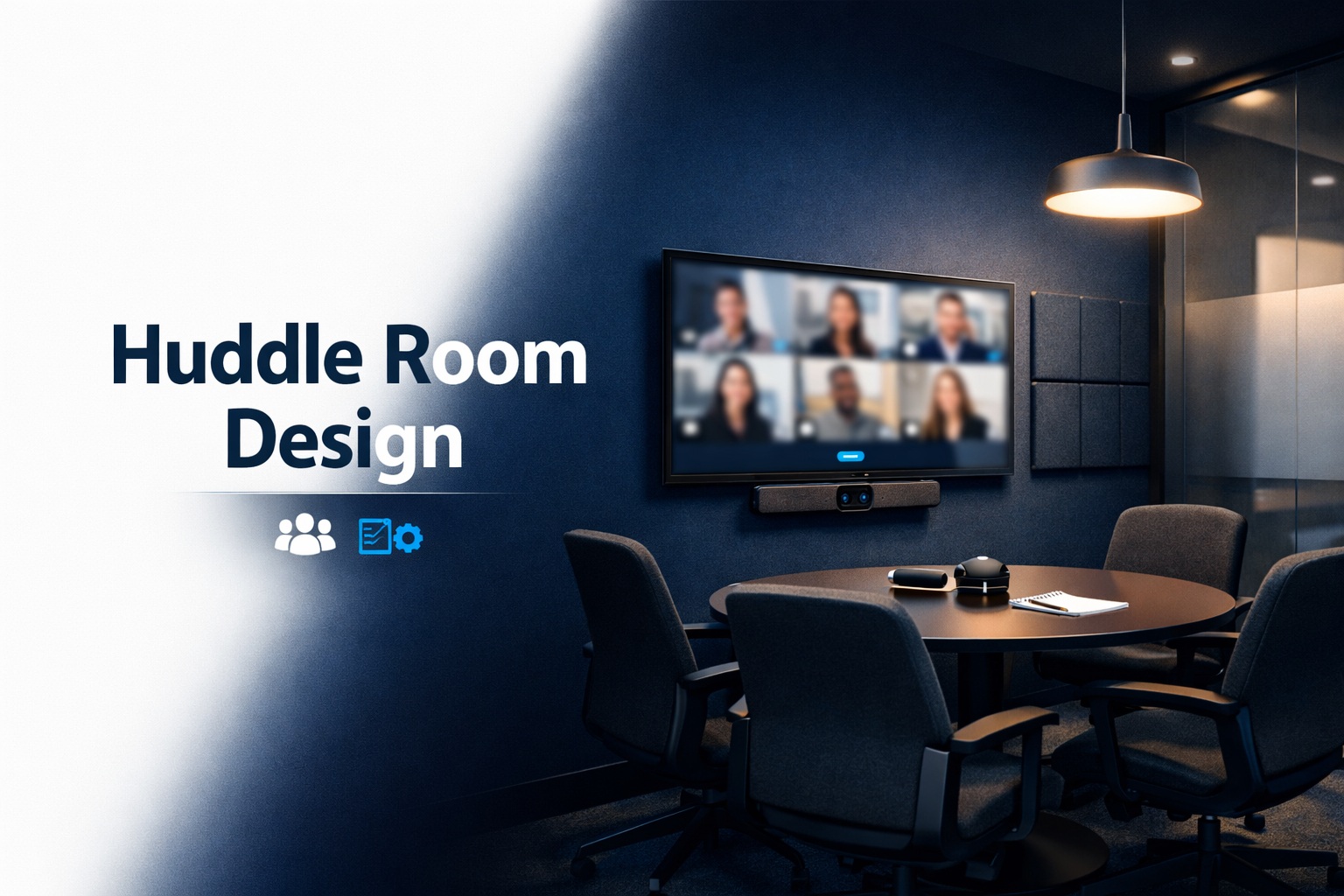
Huddle rooms—small meeting spaces for 2-6 people—have emerged as the unsung heroes of productive office design. When done right, they’re the spaces teams actually fight to book. When done wrong, they become glorified phone booths that nobody wants to use. The difference between success and failure comes down to understanding what these spaces need to accomplish and designing accordingly.
I’ve consulted on dozens of huddle room installations over the past few years, and I’ve seen the same mistakes repeated constantly. I’ve also seen the profound impact when companies get it right—teams that collaborate more effectively, remote participants who finally feel included, and spontaneous problem-solving sessions that simply wouldn’t happen in formal conference room settings.
Let’s walk through exactly how to design huddle rooms that people will actually use and that genuinely improve how your teams work together.
Understanding What Huddle Rooms Actually Need to Do
Before we talk about equipment and furniture, we need to understand the fundamental purpose these spaces serve. Huddle rooms aren’t just “small conference rooms”—they’re designed for a different type of work entirely.
Traditional conference rooms assume planned meetings with agendas, formal presentations, and scheduled time blocks. Huddle rooms serve spontaneous collaboration, quick decision-making sessions, informal brainstorming, one-on-one coaching conversations, and hybrid meetings where one or two people in the office connect with remote team members.
The usage pattern is fundamentally different. Conference rooms might host 3-4 meetings per day averaging 45-60 minutes each. Productive huddle rooms see 8-12 sessions daily averaging 15-25 minutes. They’re booked with minutes of notice rather than days. People pop in for quick video calls, small team discussions, or focused work that requires screen sharing.
This usage pattern drives every design decision. Equipment needs to be instantly available without setup time. Technology must be foolproof because there’s no time for troubleshooting. The space needs to feel comfortable for extended periods but also accommodate quick in-and-out sessions. Acoustics matter tremendously because these rooms often sit adjacent to open work areas.
Companies that understand this fundamental difference create huddle rooms that become the most-used spaces in their office. Those that treat them as “conference room lite” end up with expensive closets that gather dust.
The Layout: Maximizing Utility in Limited Space
Most huddle rooms range from 80 to 150 square feet—roughly 8×10 to 10×15 feet. That’s not much space to work with, which means every square foot needs to earn its keep. Poor layout decisions create cramped, uncomfortable spaces that people avoid. Smart layouts create inviting environments that feel spacious despite tight dimensions.
Table Selection and Positioning
Your table choice profoundly impacts how the space functions. Rectangular tables work well for huddle rooms because they efficiently use the available space and create natural positions for camera framing. A 4-6 person huddle room typically uses a table around 48-60 inches long by 30-36 inches deep—large enough for laptops and notebooks but not so large it dominates the room.
Round tables seem collaborative and democratic, but they’re inefficient in small spaces. They leave awkward gaps in corners and make camera positioning difficult because everyone sits at different angles to the screen. Save round tables for larger spaces where the geometry makes sense.
Table height matters more than people realize. Standard conference table height (29-30 inches) works well for most people, but consider adjustable-height tables if your organization includes particularly tall or short individuals or if you want the flexibility to have standing meetings. Some of the most effective huddle rooms I’ve seen use adjustable tables that accommodate both seated and standing collaboration.
Position your table to optimize camera angles and screen visibility. The worst huddle rooms place the display on a narrow wall, forcing people to sit perpendicular to the screen or crowd onto one side of the table. The best configurations place the display on a long wall with seating arranged so everyone can comfortably see the screen while remaining visible to the camera.
Seating Strategies
Chairs in huddle rooms face competing requirements: comfortable enough for hour-long sessions, compact enough to not overwhelm the space, mobile enough to allow flexible arrangements, and durable enough to withstand heavy daily use.
Avoid oversized executive chairs that belong in boardrooms. They’re too large for small spaces and create cluttered sight lines for video participants. Instead, choose comfortable task chairs or compact conference chairs with moderate padding and good lumbar support.
Ensure you can comfortably pull chairs away from the table and move around the room. A common mistake is calculating capacity based on how many chairs fit around a table while ignoring whether people can actually get to those chairs or whether there’s adequate circulation space once everyone is seated.
Include one or two extra chairs beyond the table seating for overflow. Quick meetings often grow from “just two of us” to four or five people as others join. Having a place for them to sit prevents awkward standing or people squeezing uncomfortably around an overcrowded table.
Video Conferencing Technology: The Heart of Modern Huddle Rooms
Here’s the hard truth: in 2026, a huddle room without quality video conferencing capability is nearly useless. The majority of huddle room sessions involve at least one remote participant, and hybrid collaboration is only increasing. Your technology choices make or break the room’s utility.
All-in-One Systems vs. Component Solutions
You face a fundamental choice when equipping huddle rooms: all-in-one video bars that combine camera, microphones, and speakers in a single device, or component systems with separate camera, microphone array, and speakers.
All-in-one video bars have become the standard for huddle rooms because they deliver excellent performance with minimal complexity. Devices from manufacturers like Logitech, Poly, Neat, and Jabra pack impressive cameras, microphone arrays, and speakers into compact units that mount above or below the display. They connect via USB to a room computer or directly to cloud video platforms, and they’re designed to work flawlessly with minimal configuration.
The advantages are compelling: simple installation with minimal cabling, foolproof operation that anyone can use without training, and unified system management where one device handles all AV functions. For most organizations, all-in-one video bars represent the sweet spot of capability and simplicity for huddle room applications.
Component systems offer greater flexibility and potentially higher quality, but they introduce complexity that often isn’t justified in small spaces. You might choose components if you have unusual acoustic challenges requiring specialized microphones, extreme room dimensions where all-in-one devices can’t provide adequate coverage, or integration requirements with existing AV infrastructure. For standard huddle rooms, the added complexity rarely pays off.
Platform Compatibility Matters
One critical consideration many companies overlook: ensure your video equipment works seamlessly with your collaboration platform of choice. The best Zoom conference room setup uses Zoom-certified equipment that integrates directly with your Zoom account. Similarly, Microsoft Teams deployments benefit from Teams-certified devices that provide native integration.
Platform-specific certification means the equipment has been tested and optimized for that platform, one-touch joining without manual connection steps, automatic firmware updates through the platform, and consistent user experience across all your huddle rooms. This certification dramatically reduces technical issues and support calls.
If your organization uses multiple platforms or hasn’t standardized, choose equipment certified for all major platforms. Most quality video bars support Zoom, Teams, Google Meet, and WebEx, allowing flexibility as your needs evolve. Understanding the video conferencing platform comparison helps inform these equipment decisions.
Display Selection and Placement
Your display serves dual purposes: showing remote participants during video calls and sharing content during in-person collaboration. Size matters, but bigger isn’t always better in small spaces.
For typical huddle rooms (4-6 person capacity), displays between 55-65 inches work well. They’re large enough that everyone can clearly see remote participants and shared content, but not so large they overwhelm the space or require uncomfortable viewing angles. Sitting too close to an oversized display creates neck strain and makes it difficult to take in the entire screen.
Mount displays at appropriate height—the center of the screen should be roughly at seated eye level, typically 40-48 inches from the floor to the center of the display. Mounting too high (a common mistake) forces people to look up uncomfortably during meetings, creating fatigue and disengagement.
4K resolution has become standard and ensures crisp text during screen sharing sessions. Don’t cheap out with 1080p displays that make spreadsheets and documents difficult to read. The modest price difference between 1080p and 4K delivers significant value in improved usability.
Acoustics: The Make-or-Break Factor
I cannot overstate how important acoustics are in huddle room design. Poor acoustics ruin otherwise well-designed spaces, making conversations difficult to understand and creating frustration for both in-room and remote participants. Yet acoustics are often completely ignored until after installation when problems become obvious.
Understanding Huddle Room Acoustic Challenges
Small rooms create unique acoustic problems. Sound waves bounce off hard surfaces—walls, glass, tables, floors—creating reverb and echo that muddy speech intelligibility. In larger rooms, these reflections disperse somewhat. In tiny huddle rooms, they build up quickly, creating a boomy, echo-y environment where voices lack clarity.
Hard parallel walls create flutter echo—rapid-fire reflections bouncing back and forth between surfaces that sound like a metallic ringing. Glass walls, which many modern offices use for huddle rooms to maintain visual openness, are particularly problematic because glass reflects sound extremely efficiently.
Background noise from HVAC systems, nearby conversations in open offices, and equipment fans creates masking noise that makes it difficult for microphones to isolate speech. Remote participants hear a noisy, reverberant mess rather than clear voices.
Acoustic Treatment Solutions
Start with soft furnishings that provide passive acoustic damping. Upholstered chairs, fabric wall panels, and acoustic ceiling tiles all absorb sound and reduce reverb. Even small amounts of soft materials make measurable differences in tiny spaces.
Add dedicated acoustic panels on at least one wall, ideally the wall opposite the display where people’s voices project. Fabric-wrapped acoustic panels 2-4 inches thick significantly reduce reflections and reverb. You don’t need to cover every surface—treating 25-30% of wall area typically provides adequate control without making the room feel dead and lifeless.
Glass walls require special attention. If you must use glass for visual connection to adjacent spaces (and there are good reasons to do so), treat the glass with acoustic film or ensure other surfaces provide adequate absorption to compensate. Alternatively, use smart glass that can switch from transparent to opaque, and add curtains or acoustic panels on the opaque setting for meetings requiring better acoustics or privacy.
Ceiling treatment often gets overlooked but makes a substantial impact. Acoustic ceiling tiles rather than hard drywall provide absorption for sound that would otherwise reflect down onto the table. In modern offices with exposed structure and no drop ceiling, add acoustic clouds—suspended panels—above the meeting area.
Professional lighting and sound calibration ensures your acoustic treatments work optimally with your video conferencing equipment, delivering clear audio for all participants.
Lighting: Ensuring Everyone Looks Professional on Camera
Terrible lighting is the easiest way to make people look unprofessional on video calls, yet it’s often completely ignored in huddle room design. Fluorescent overhead lights create harsh shadows under eyes and noses. Windows behind participants blow out the camera exposure, rendering in-room people as dark silhouettes. Poor lighting undermines the impression your team makes with clients and partners.
Lighting Principles for Video Success
You need even, diffused light from in front of participants that illuminates faces without creating harsh shadows or glare. The camera should never compete with bright windows in the background or struggle with extreme contrast between light and dark areas of the frame.
Overhead lighting alone rarely works well for video. It lights the tops of heads beautifully but leaves faces in shadow. You need front-lighting that reaches faces at eye level or slightly above.
LED panel lights designed for video conferencing mount above or beside the display and provide even, color-accurate illumination that flatters faces on camera. These specialized lights typically offer adjustable color temperature (warmer or cooler light) and dimming capability to match different times of day and preferences.
Avoid placing huddle rooms with windows directly behind where people sit. If windows are unavoidable, ensure you have blackout shades or blinds that allow control over natural light during video calls. Some of the best huddle rooms use windows for ambient daylight but can completely darken for optimal video lighting when needed.
Color temperature matters more than most people realize. Warm light (2700-3000K) creates a yellowish cast that looks dingy on video. Cool light (5000-6500K) appears bluish and clinical. Neutral white (3500-4500K) provides the most natural, professional appearance on camera. Ensure all your light sources—overhead fixtures, video lighting, any natural light—have similar color temperatures to avoid weird color casts on faces.
Technology Integration and Control
The best technology is invisible. People should walk into your huddle room, start their meeting with a single button press or voice command, and never think about the technology enabling their collaboration. Achieving this simplicity requires thoughtful integration and control system design.
Room Scheduling and Availability
Integrate your huddle rooms with your calendar system (Microsoft 365, Google Workspace, etc.) so people can book them through familiar tools. Room scheduling panels outside each door show current availability and upcoming reservations, preventing conflicts and allowing spontaneous booking of available rooms.
The best implementations use presence detection to automatically end reservations if nobody shows up, freeing the room for others. This prevents phantom bookings that leave rooms empty while teams search for available space.
One-Touch Meeting Start
The holy grail of huddle room design is walk-in usability where teams enter, tap a button, and their scheduled video conference launches automatically. No fumbling with cables, no troubleshooting connection issues, no five minutes of “can you hear me now?”
Modern video conferencing equipment achieves this through tight integration between calendar systems and room devices. The system knows what meeting is scheduled, connects to the appropriate video platform, and handles all the technical details automatically.
For organizations using multiple platforms, ensure your rooms support all of them. Having to remember which rooms support Zoom versus Teams versus Meet creates friction and frustration. Universal compatibility lets teams use their preferred platform regardless of which room they book.
Cable Management and Connectivity
Even in wireless-first designs, you need wired connectivity options. Not every laptop wireless screen shares reliably, some presentations require wired HDMI for security or quality reasons, and charging cables for laptops and devices remain necessary.
Professional AV cable management keeps cables organized and accessible without creating visual clutter or trip hazards. Table-mounted connection points with retractable cables, under-table cable trays, or pop-up boxes in the table surface provide organized access to power, HDMI, and USB-C connectivity.
Ensure adequate power outlets—figure at least one outlet per seat plus extras for room equipment. Modern teams arrive with laptops, phones, and tablets all requiring power. Running out of outlets halfway through a meeting is frustrating and entirely preventable.
Common Mistakes That Ruin Huddle Rooms
Having designed and consulted on many huddle room installations, I’ve seen the same mistakes repeated constantly. Avoiding these common pitfalls dramatically improves your chances of creating spaces people actually want to use.
Mistake #1: Treating them as scaled-down conference rooms. Huddle rooms serve different purposes with different usage patterns. Designing them as small conference rooms misses their actual function and creates spaces that don’t meet real needs.
Mistake #2: Over-complicating the technology. The more steps required to start a meeting, the less likely people will use the space. Complex control systems with multiple remotes and manual input switching create friction that undermines adoption.
Mistake #3: Ignoring acoustics entirely. Hard surfaces everywhere create echo and reverb that make the space unpleasant for in-person meetings and terrible for video calls. Acoustic treatment isn’t optional—it’s fundamental to room functionality.
Mistake #4: Poor lighting that makes everyone look terrible on camera. If your team looks unprofessional on video calls, they are unprofessional regardless of how competent they actually are. Lighting matters.
Mistake #5: Insufficient power and connectivity. Running out of power outlets or making people hunt for cables wastes time and creates frustration. Anticipate what people need and provide it conveniently.
Mistake #6: Wrong-size display. Too small and people can’t see details. Too large and it overwhelms the space with uncomfortable viewing angles. Match display size to room dimensions and typical viewing distance.
Mistake #7: Glass walls everywhere with no acoustic treatment. Visual transparency is great for office culture but terrible for acoustics unless you compensate with treatment on other surfaces or the glass itself.
Designing for Different Use Cases
While the core principles remain consistent, specific use cases may drive different design decisions.
Engineering and Design Teams
Technical teams need larger displays (65-75 inches even in small rooms) for sharing detailed CAD drawings, code, and technical diagrams. Prioritize screen sharing capability and ensure sufficient bandwidth for high-resolution content. Include whiteboard walls or large whiteboards for sketching concepts. These teams often have longer, more involved sessions, so comfort and good acoustics become especially critical.
Executive and Client-Facing Meetings
Rooms used for client meetings need to project professionalism and brand identity. Invest in higher-end finishes, furniture, and technology. Ensure lighting is optimized for video to make the best impression. Consider privacy more carefully—glass walls may not be appropriate if discussions involve confidential information. These rooms benefit from professional custom conference room design that reflects your brand.
Sales and Customer Success Teams
These teams have frequent video calls with prospects and customers, often multiple times per day. Prioritize absolutely reliable technology that works every single time without technical issues. Include space for demo equipment or product samples. Easy content sharing is critical for presentations and screen demos. Fast room turnover matters because these teams need to hop between calls quickly.
General Collaboration Spaces
Most huddle rooms serve general collaboration needs across various teams. Focus on flexibility, reliable basic functionality, and simple operation that anyone can master. These rooms need to handle everything from two-person one-on-ones to six-person brainstorming sessions to hybrid meetings with remote participants.
Budget Considerations and ROI
Huddle room investments range from $5,000 for basic installations to $25,000+ for comprehensive buildouts with custom design, premium equipment, and extensive acoustic treatment. Understanding what drives costs helps you make informed budget decisions.
Budget Breakdown
A basic functional huddle room includes a quality 55-inch display ($600-1,200), all-in-one video bar with camera, microphones, and speakers ($800-2,000), room computer or bring-your-own-device connectivity ($300-800), basic furniture—table and chairs ($1,000-2,500), minimal acoustic treatment ($500-1,000), and installation and configuration ($1,000-2,000). Total: $5,000-10,000.
Mid-range installations add better furniture and finishes, comprehensive acoustic treatment, upgraded 65-inch display, professional-grade video equipment, integrated room control systems, and proper lighting for video. Total: $12,000-18,000.
High-end buildouts include custom millwork and furniture, architectural acoustic solutions, premium video and audio systems, motorized shades, advanced lighting control, and full architectural integration. Total: $20,000-35,000+.
Calculating Return on Investment
Huddle rooms deliver ROI through improved productivity when teams collaborate more effectively, reduced travel costs as video meetings replace in-person visits, better space utilization compared to underused large conference rooms, increased employee satisfaction with better work environments, and competitive advantage through improved hybrid collaboration.
Consider this: if a huddle room enables just one additional productive collaboration session per day at an average value of $500 (team time, decisions made, problems solved), it generates $130,000 in annual value. Even a $20,000 investment pays for itself in less than two months by that calculation.
The real ROI often comes from intangibles that are hard to quantify but deeply valuable—the spontaneous conversation that solves a customer problem, the quick decision that prevents project delays, the remote team member who finally feels included and engaged. These moments don’t happen in formal conference rooms scheduled days in advance. They happen in accessible, comfortable huddle rooms that invite casual use.
Integration with Broader Office Strategy
Huddle rooms don’t exist in isolation—they’re part of your overall workplace strategy. The best implementations consider how these spaces fit into the bigger picture of how your organization works.
Portfolio Approach to Meeting Spaces
Think beyond individual rooms to your complete portfolio of collaboration spaces. You might include numerous huddle rooms (2-6 people) for most daily collaboration, fewer medium conference rooms (6-10 people) for team meetings and presentations, occasional large conference rooms for departments and all-hands, and specialized spaces like town halls for company-wide events.
Research suggests optimal ratios around 60-70% small rooms (huddle rooms), 25-30% medium rooms, and 5-10% large rooms. Most organizations do the opposite, over-investing in large conference rooms that sit empty while teams struggle to find small spaces for actual collaboration.
Hybrid Work Considerations
The shift to hybrid work makes huddle rooms more important than ever. These spaces excel at hybrid meetings where a few people in the office connect with remote team members. The technology, acoustics, and camera framing work better in small spaces than in large conference rooms where in-office participants are scattered across a large table.
Consider establishing productive video meeting best practices that emphasize equity between in-person and remote participants. Well-designed huddle rooms enable this equity by making remote participants feel present and engaged rather than like second-class observers.
Maintenance and Evolution
Once installed, huddle rooms require ongoing attention to remain functional and relevant. Plan for regular maintenance and periodic updates.
Regular Maintenance Tasks
Clean camera lenses and displays monthly—fingerprints and dust degrade video quality. Update software and firmware quarterly for video equipment and room systems. Test all functionality quarterly including video, audio, screen sharing, and connectivity. Refresh furniture and finishes every 3-5 years as they show wear, and upgrade technology every 4-6 years as standards evolve and equipment ages.
Professional commercial video conferencing system maintenance contracts ensure your rooms remain consistently functional through regular checkups, proactive monitoring, priority support when issues arise, and included upgrades and updates.
Gathering Feedback and Iterating
Survey users regularly about what works and what doesn’t. Analytics from room booking systems show utilization patterns—which rooms are overbooked, which sit empty, what times see peak demand. This data informs decisions about adding capacity, upgrading equipment, or redesigning problematic spaces.
The best organizations treat huddle room deployment as an ongoing evolution rather than a one-time project. They start with a few pilot rooms, gather feedback, refine the design, then roll out to additional spaces. This iterative approach prevents expensive mistakes and ensures the final design truly meets user needs.
Real-World Success Stories
A financial services firm installed twelve huddle rooms across three floors of their office. They saw conference room booking conflicts decrease by 75%, average meeting size drop from 8 people to 4 (indicating more targeted, efficient collaboration), video meeting quality ratings increase significantly, and utilization rates of 85%+ for all huddle rooms versus 40% for their large conference rooms.
A software company replaced two rarely-used 12-person conference rooms with six huddle rooms. The result: 3x more collaborative sessions happening daily, dramatic decrease in teams meeting at desks or in hallways, significant improvement in remote employee engagement scores, and positive ROI within four months based on improved productivity.
Taking Action on Your Huddle Room Project
Ready to implement effective huddle rooms in your organization? Start by assessing your current meeting space portfolio and utilization patterns. Survey teams about their collaboration needs and pain points. Identify underutilized spaces that could become huddle rooms.
For expert guidance on implementing a huddle room design that truly meets your needs, consider working with experienced specialists who understand both the technology and the workplace dynamics that make these spaces successful.
Design one or two pilot rooms incorporating the principles discussed here—appropriate size and layout, quality video conferencing technology, good acoustics and lighting, simple operation, and comfortable furnishings. Test them with real users, gather feedback, refine the design, then roll out to additional spaces.
The investment in well-designed huddle rooms pays dividends through improved collaboration, better hybrid work experiences, and more productive use of your real estate. These small spaces create big impacts when they’re designed to actually work for how modern teams collaborate.
Your teams deserve meeting spaces that enhance rather than hinder their work. Thoughtfully designed huddle rooms deliver exactly that—spaces that invite spontaneous collaboration, support effective hybrid meetings, and genuinely improve how work gets done. The question isn’t whether to invest in huddle rooms, but how quickly you can deploy them to start realizing the benefits.